
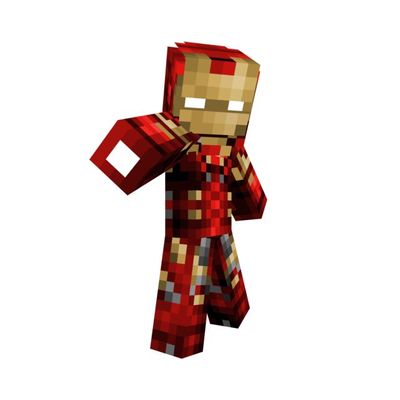
Ultimate Iron-Man Skinpack
Play as five unique IronMan variants in Minecraft Bedrock Edition, including Neon IronMan, Tony IronMan, and more. A lightweight and easy-to-install skin pack perfect for superhero fans.
3,265
Ultimate IronMan SkinPack
Become a legendary armored hero with the Ultimate IronMan SkinPack for Minecraft Bedrock Edition. This collection includes five unique IronMan-inspired skins, each offering a different style ranging from classic armor designs to futuristic variants.
✦ Included Skins
- Neon IronMan
- Old IronMan
- Steve IronMan
- New IronMan
- Tony IronMan
✦ Features
- 5 unique IronMan-themed skins
- Detailed and high-quality designs
- Perfect for survival and multiplayer gameplay
- Easy installation process
- Compatible with Minecraft Bedrock Edition
- Lightweight and performance-friendly
✦ Why You'll Love This Pack
Whether you prefer a classic armored appearance or a modern futuristic look, this pack offers multiple IronMan variants to match your style. Stand out in your worlds and showcase your favorite suit wherever you play.
✦ Installation Guide
- Scroll down and download the Skin Pack.
- Open the downloaded file using ZArchiver or any file manager app.
- Tap Open With and choose Minecraft.
- Wait for Minecraft to import the Skin Pack.
- Go to Change Skin or Dressing Room.
- Open the imported Skin Pack.
- Select any skin and start playing.
Made by BedrockForge
Images 👇🏻
Changelog:None
More versions

All Rights Reserved
07/06/2026
18:41 07/06