
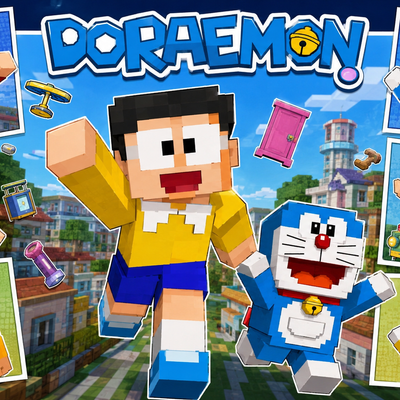
Ultimate Doraemon Skinpack
Ultimate Doraemon SkinPack
Step into the wonderful world of Doraemon with the Ultimate Doraemon SkinPack for Minecraft Bedrock Edition. This exciting collection brings together some of the most beloved characters from the iconic Doraemon universe, allowing fans to recreate their favorite adventures inside Minecraft.
Whether you're exploring survival worlds, building futuristic cities, roleplaying with friends, or simply showing off your favorite character, this skin pack offers a fun and nostalgic experience. Each skin has been carefully designed in Minecraft's pixel-art style while preserving the recognizable appearance of the original characters.
✦ Included Skins
- Doraemon
- Nobita Nobi
- Suneo Honekawa
- Takeshi "Gian" Goda
- Shizuka Minamoto
- Dorami
✦ Features
- 6 unique Doraemon-themed character skins.
- Inspired by the classic Doraemon anime and manga series.
- High-quality pixel-art designs with recognizable details.
- Perfect for roleplay, survival, creative, and multiplayer gameplay.
- Great for anime and cartoon fans.
- Lightweight and performance-friendly.
- Easy installation process.
- Compatible with Minecraft Bedrock Edition.
✦ Why You'll Love This Pack
The Ultimate Doraemon SkinPack brings together the main cast of one of the world's most beloved animated franchises. Play as Doraemon and use your imagination to create futuristic adventures, become Nobita during survival journeys, or roleplay with friends using Gian, Suneo, Shizuka, and Dorami.
With multiple iconic characters included in a single pack, players can enjoy a complete Doraemon-themed experience across their Minecraft worlds. It's the perfect collection for fans who want to bring childhood memories and anime-inspired fun into Bedrock Edition.
✦ Installation Guide
- Scroll down and download the Skin Pack.
- Open the downloaded file using ZArchiver or any file manager app.
- Tap Open With and choose Minecraft.
- Wait for Minecraft to import the Skin Pack automatically.
- Open Dressing Room or Change Skin.
- Navigate to the imported Skin Pack.
- Select any skin you want to use.
- Start your adventure and enjoy your new look.
✦ Compatibility
- Minecraft Bedrock Edition Supported ✅
- Works on Android, iOS, Windows, and Console ✅
- Multiplayer Friendly ✅
- Easy To Install ✅
- No Extra Addons Required ✅
Made by BedrockForge
Images 👇🏻 + More Skin In Pack
