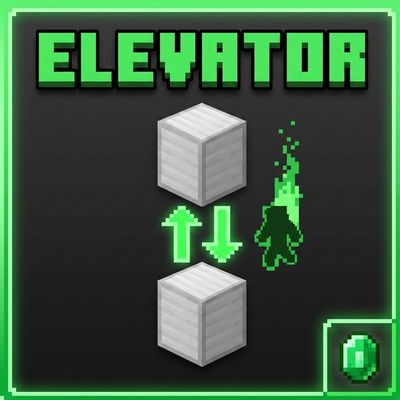
Ultimate Block Elevators

Whats up guys Racing Raftaar here again. Today i am bringing you a really massive and useful behavior pack for your survival and multiplayer realms. I have been playing a lot of survival minecraft recently and building huge bases and mob farms. But i realized something that is super annoying in this game. Getting up and down your base is so boring.
Like seriously if you build a base that is 50 blocks tall you have to use water elevators which are slow and messy, or you have to build massive bubble columns, or you have to place hundreds of scaffolding blocks. And redstone elevators are just way too complicated and they break all the time on bedrock edition. So i sat down and coded a completely new way to move around your base. I made the RR Elevator addon to let you instantly teleport between floors with zero lag and zero redstone.
How The Elevator System Works
So using this pack is actually incredibly simple and it feels like a real vanilla feature. By default the elevator block is just a normal Iron Block. You dont need to craft any weird custom blocks or type any commands. All you have to do is place an iron block on the ground floor, and then place another iron block on the floor directly above it. When you stand on the bottom iron block,
you literally just press the jump button. The custom script instantly detects your jump and teleports you straight up to the iron block above you. It plays a cool enderman portal sound and shows green happy villager particles so it feels really magical. If you want to go back down, you just stand on the block and press sneak. It instantly teleports you down. It is that easy. If you try to jump and there is no iron block above you, the game just plays a low bass sound and tells you on your screen that there is no elevator above. So you never get confused.

Custom Settings And Block Types
But i know that not everyone wants to use iron blocks. Maybe you are building a really fancy base and you want to use rich blocks. So i made the whole system completely customizable. If you hold a Name Tag in your hand and sneak, it opens a huge UI settings panel on your screen. From here you can literally change the elevator block type. You can switch it from Iron Block to Gold Block, or Diamond Block, or even Emerald Block if you are super rich. Once you change it the whole server updates to use that new block.
Also in this menu you can change the search range. By default the elevator will look for the next block up to 50 blocks away. But if you have a massive base you can use the slider to increase the search range all the way up to 100 blocks. Oh by the way if you want to check your stats you can hold a normal Book and sneak. It opens a stats menu that tells you exactly how many times you traveled up and down. I love tracking stats so i put this in. You can also reset your stats from the settings menu if you want to start fresh.
Stats Milestones And Sound Toggles
Going back to the stats menu, the game actually tracks your total elevator trips forever. If you use the elevator 50 times the game gives you a milestone achievement on your screen called Elevator User. At 200 trips you become a Floor Hopper and at 500 trips you unlock the Elevator Master title with a really loud level up sound. It gives you a reason to keep using the elevators around your world. I also know some people get annoyed by sounds and particles if they are using the elevator a lot. So in the settings panel there is a sound settings button.
You can manually toggle off the teleport sounds, the green particles and even the action bar messages. So you can make the teleporting completely silent and invisible if you want a clean screen. And if you ever need to turn the entire elevator system off because you are building something with iron blocks and you dont want to accidentally teleport, you just hold an Emerald and sneak. It turns the whole addon off instantly.

Beta APIs Setup
You guys probably know this by now but i have to remind you. Because this pack uses the custom scripts to detect when you jump and sneak, and it uses dynamic properties to save your exact stats and block settings, you absolutely must turn on the Beta APIs experiment in your world settings. If you dont turn it on the custom menus will not open and jumping on an iron block will literally do nothing. So please make sure you check that before playing or it wont work at all.