Spray Paint
To use the spray paint you must craft the item first.
Crafting Recipe:
Spray Paint Item:
You can use any dye for the crafting recipe.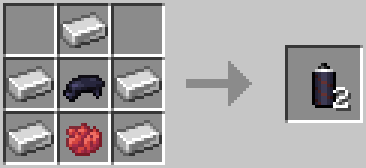
How To Use:
- Hold the spray paint item.
- Face a wall.
- Use the item.
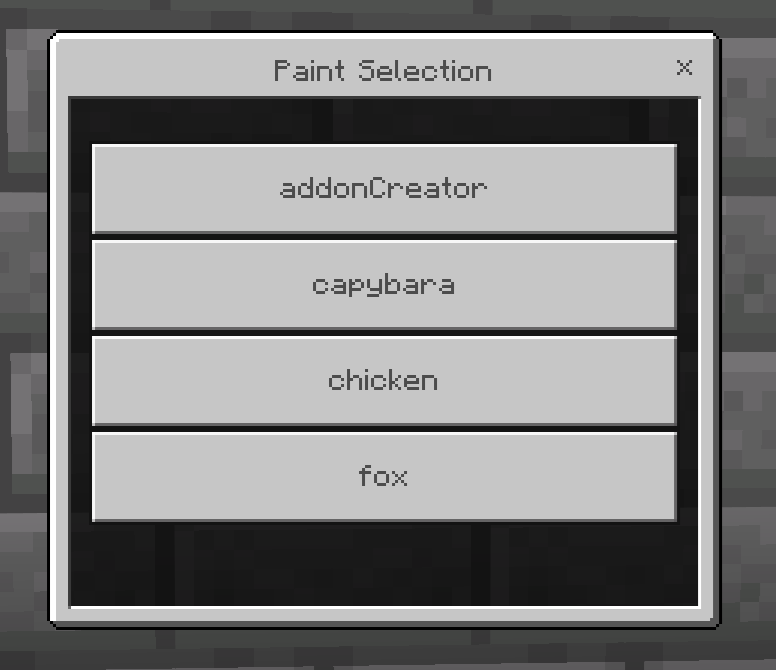
- Select a paint.
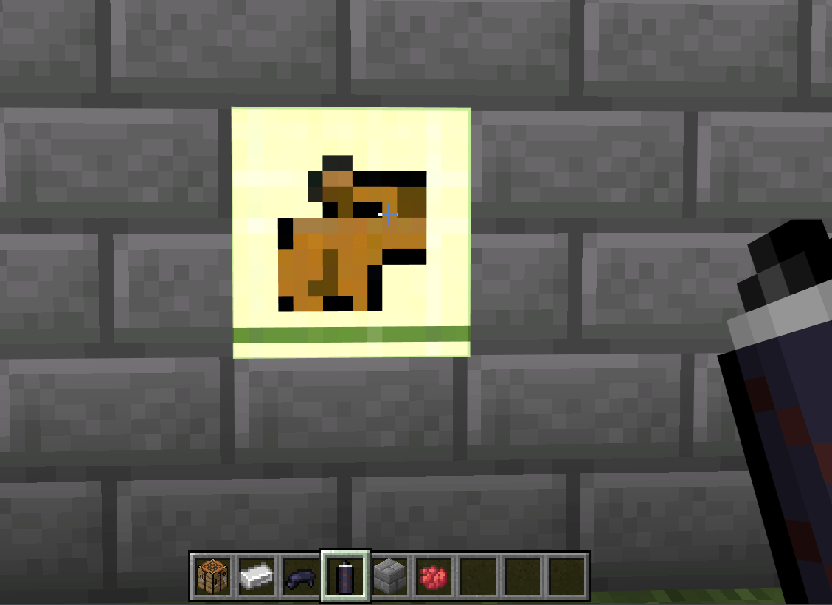
This is a capybara paint.
Temporary Version:
The spray paint will only last for 100 seconds then it will dissapear. You can't remove the spray paint, you will have to wait for it to dissapear. You can also unload the paint by going far away and going back.
Permanent Version:
The spray paint is permanent and will act like a block. You can break the block to remove the spray paint.
How To Add More Paint:
Visit https://amon28.github.io/dewdimpple_web/html/painter_gen.html
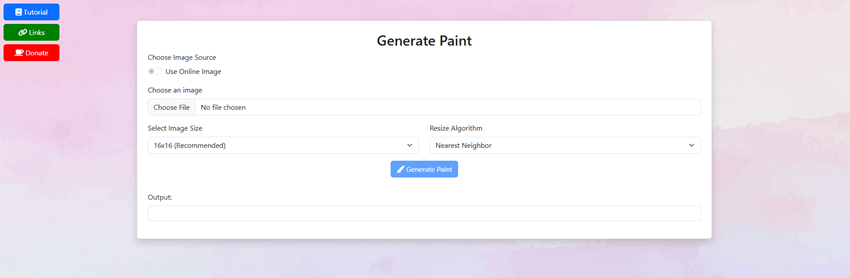
This is a website I made specifically for this addon.
- In the website upload an image
- Press "Generate Paint" button.
- Copy the output code.
- Open the minecraft behavior pack folder.
- Find "Spray Paint Behavior" and open the folder
- Go to "scripts" folder and and open the "listPaints.js" file.
- Paste your code there, be sure to change the function name to your own unique name.
- Go into Minecraft or if you are already inside the world do "/reload" command.
Once added you will able to see the paint you added here.
You can also view the tutorial by pressing the tutorial button in the website.
If you found any bugs visit my discord to report bugs.
https://discord.gg/DZ7Q2ugEeg