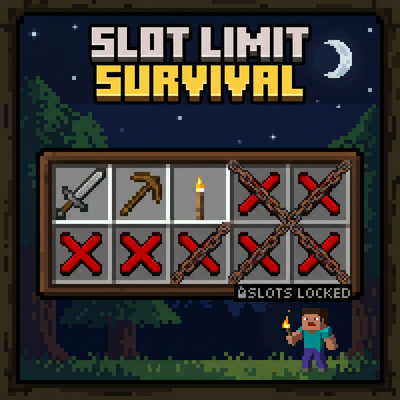
Slot Limit Survival
✨ Features
Slot Restrictions: Your usable inventory slots are limited. Locked slots are automatically filled with unmovable barriers. If an item is forced into a locked slot, it will be automatically dropped.
Armor & Offhand Limits: Armor slots (Head, Chest, Legs, Feet) and the Offhand slot are locked by default (Configurable). Trying to equip items in locked slots will cause them to pop off and drop.
Player Interaction & Trading: Sneak and Punch (Left-Click) another player to open the interaction menu!
View Inventory: Sneak a peek at what items they are carrying.
Trade Slots: Give 1 of your inventory slots to them, or request 1 from them.
Unlock Armor Slots: Spend 2 of your inventory slots to unlock 1 of their armor/offhand slots (or request it).
Sacrifice Armor for Slots: Lock 1 of your unlocked armor/offhand slots to give them 2 inventory slots (or request it).
Targeted Selection: Choose exactly which armor part to unlock or lock.
Note: All trades require the target player's confirmation (Yes/No).
Easy Setup: The world owner (the first player to join) will be presented with a setup UI to configure the initial slot count, toggle armor restrictions, enable/disable trading, and choose the language (English/Japanese).
⚠️ Requirements & How to Use
You MUST enable "Beta APIs" in your world's Experiments settings.
Apply this Add-on (Behavior Pack) to your world.
The first player to join will see the setup menu. Configure the settings to start!
How to interact: Sneak (Crouch) + Punch (Left-Click or Attack) another player.
Please use this form for bug reports, update requests, and feature suggestions.
→https://docs.google.com/forms/d/e/1FAIpQLSesBt2y9EJ0saXTYVAdFEKeMeDETeiFerzpOA80VsRuifYaiQ/viewform