

Sleeping Bags
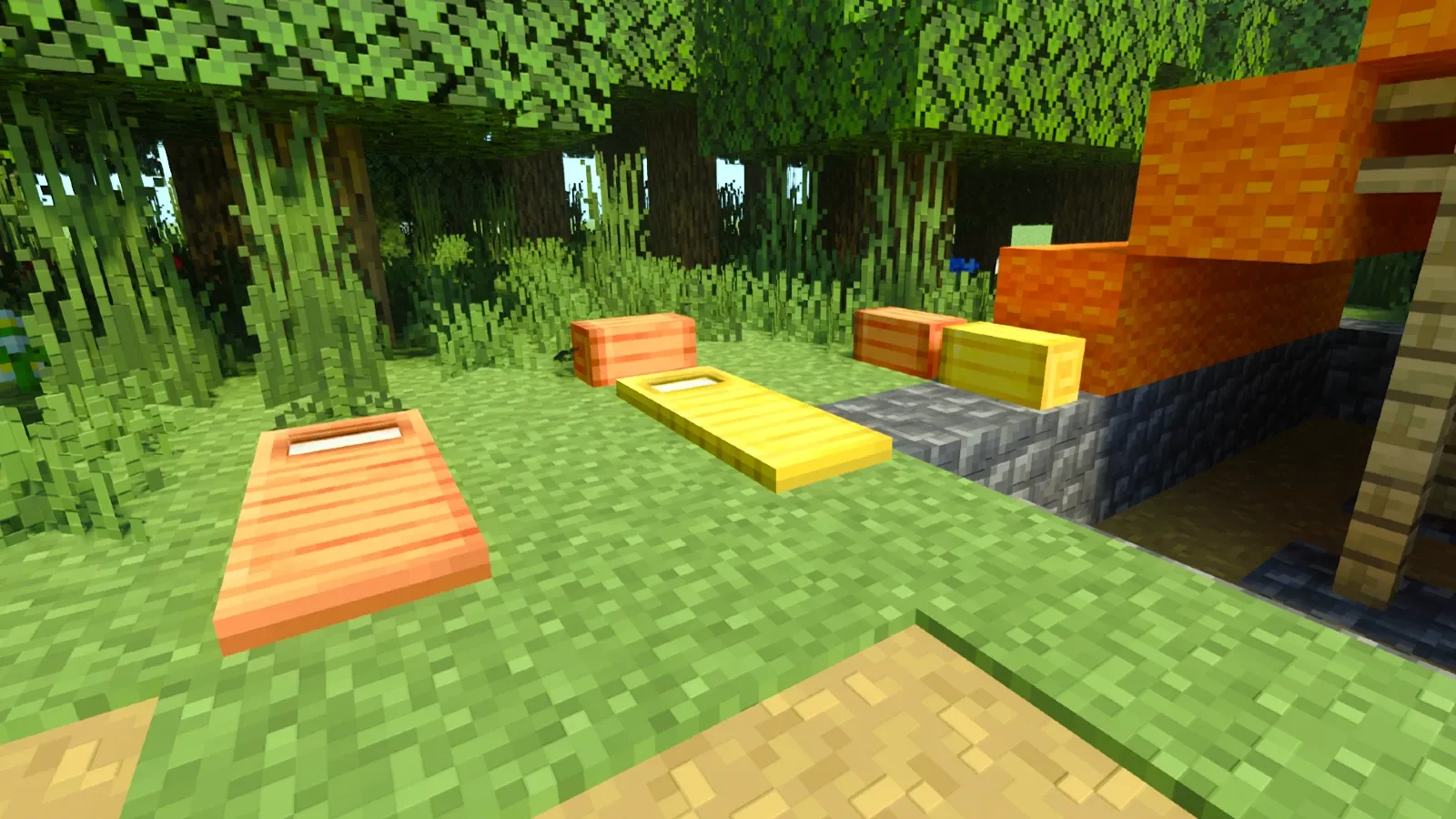
Sleeping Bags adds sleeping bags to Minecraft! As of 1.0, this Add-On adds 24 variants, in 8 colors and 3 patterns. These sleeping bags come with functionalities such as sleeping during the day, choosing when to wake up, accelerating time, and much more!

Designs

We are constantly updating this addon with new designs! 1.1 added a pink and light blue sleeping bag. Suggest a design in the comments below!
Sleeping Bags Features
Accelerate Time
This feature allows you to accelerate the world's time, including speeding up the ticks per second, which affects the growth of crops.

Sleep and Wake Up whenever you want!
You can sleep and wake up whenever you choose, whether it be at night, sunrise, morning, noon, midnight, or during the day!

Sleep & Set Spawnpoint in the End and the Nether!
You can camp in The Nether and in The End!
Flexible Respawn Settings:
Control your spawn point with ease. Choose to save your spawn location or sleep without altering it, providing flexibility whether you're settling down or exploring.
Safe overnight outdoor sleeping:
Phantoms do not spawn when you sleep outside using a Sleeping Bag. Watch the nigh sky at peace!
Server-Friendly and Lag-Free:
This bed system is designed to be server-friendly and lag-free, ensuring a smooth multiplayer experience without any performance issues.
Customize the experience
The "Sleeping Bags Settings" item allows you to fully customize the behavior of sleeping bags, from setting custom sleep and wake times to needing a percentage of players using the bed to sleep. You can also configure it to mimic vanilla behavior, providing a familiar experience while still enjoying the added features. Every aspect of all functionalities is adjustable, making it perfect for any server setup, whether you want to stick close to the original game or create a completely unique experience.
Crafting
Creative:
You can find the beds in the Creative menu under Items. You can also get them by using the command "/give @p sb:(this will show the available variants). You can only get the Sleeping Bags Settings item in the creative mode, as it controls all the behavior of the sleeping bags & the whole server.
Survival:
To obtain a blank sleeping bag, place 3 wool carpets next to each other. This will give you a blank sleeping bag. As of 1.0, the wool colors are red, orange, green, gray, brown, purple, blue & yellow.

To apply a pattern, first you need to create the pattern by combining a Leather and another object. As of 1.0, you can craft the Snake Pattern by placing a vine next to a leather, and a Ladder Pattern by placing a ladder next to a leather. Then, place a Blank Sleeping Bag next to the just created Leather Pattern.


Images


Creator: Ezekielico
© TRMC Studios
