
Redstone Planting
Redstone Plating
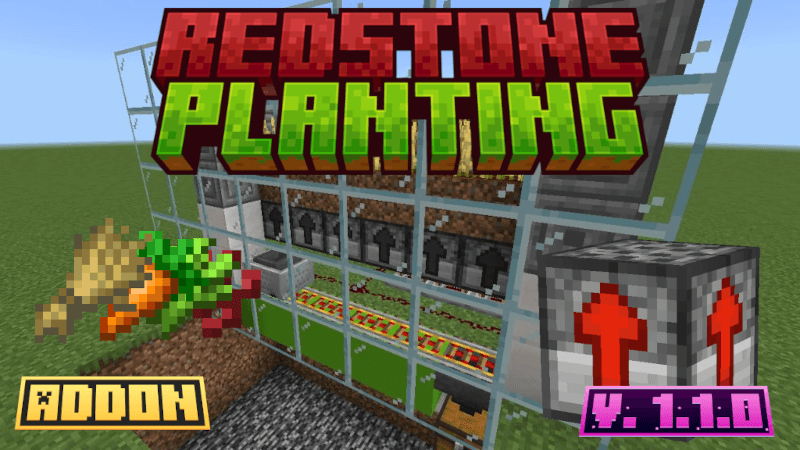
Are you having trouble automating your Minecraft World, because you can't build farms that works using just redstone blocks? So this page is for you!
That's a simple addon that allows you for plating on Minecraft using redstone. Perfect for you that wants to automate your world in a simple way using redstone machines. For planting it adds Plant Block, the one who makes the magic happen.
Plant Block
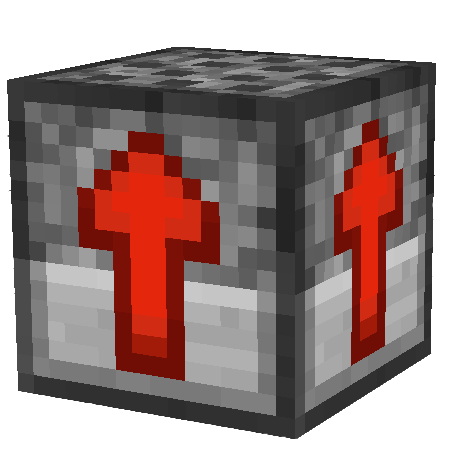
Plant block allows you planting a lot of seeds, all you need to do is feed with the seed you want through a hopper, provide the suitable land for the required seed and connect it to redstone.
Structure
To make it works, follow the following structure:
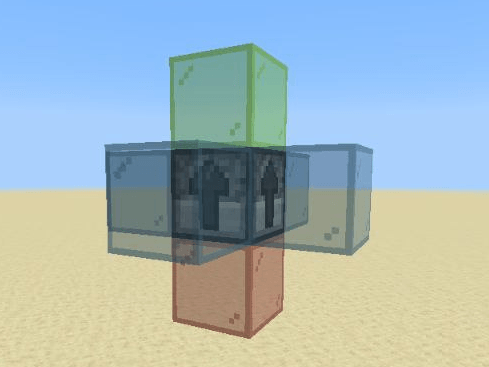
- The bottom side (red glass) is dedicated for the redstone signal source
- Put a hopper in any side edges (blue glasses) of plant block (north, south, west, east)
- On the upper (green glass) side just put the suitable land for the required seed
Follow for mode details:
Powering Plant Block
Redstone block can be activated exclusively by redstone wire, redstone block and redstone torch.
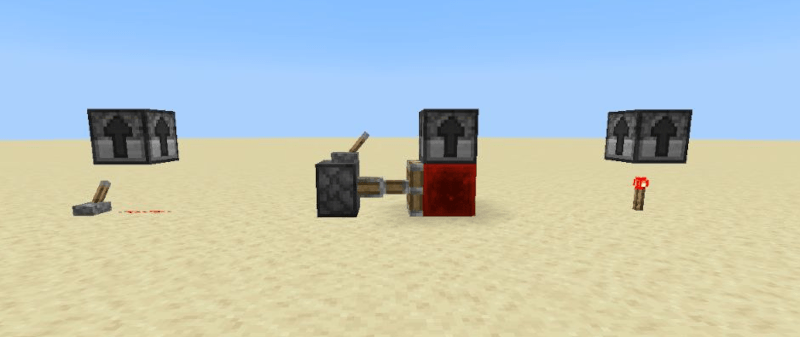
- Warning: The power signal must last at least 11 game ticks (higher than 0.5 seconds)
Positioning Hoppers Correctly
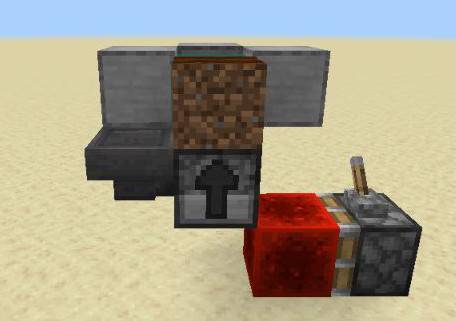
Position the hoppers is simple, all you need to do is, put it in any side (north, south, west, east), pointing for Plant Block, just like in the image:
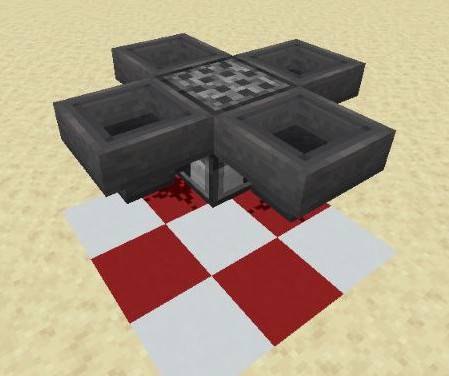
Note that Plant Block can receive more than a hopper at same time, once in different directions, so it has a priority order for getting the seeds. First to be verified is the south hopper, then west, north and finally east (clockwise). Check it on image:
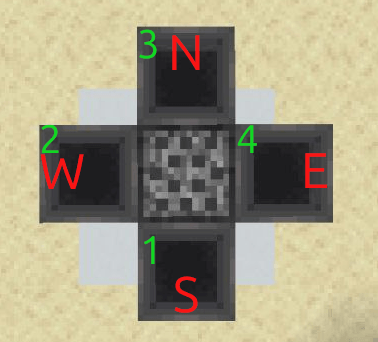
- Warning: When powering Plant Block, take care to not block hopper flow with redstone signal
Land for Plant Block
You must give for Plant Block the farm place, and it deppends what you want to plant, you can use farmland, sand block or red sand block and soul sand. It works just like the real game planting rules.
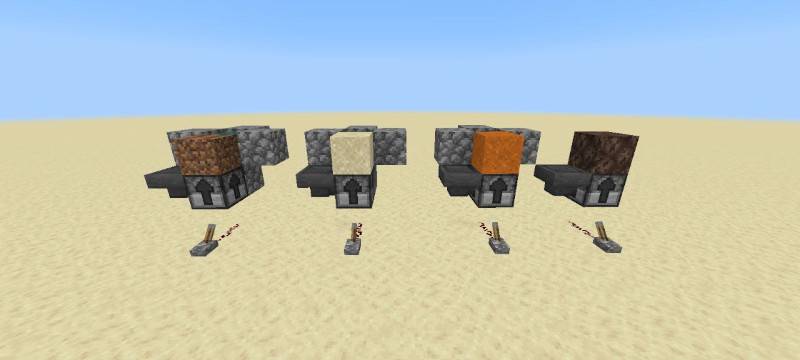
- Remember that if you are planting **sugar cane**, also sand you need water for planting it! For farmland plants you don't need water for plant, but plant block will not affect growing rules
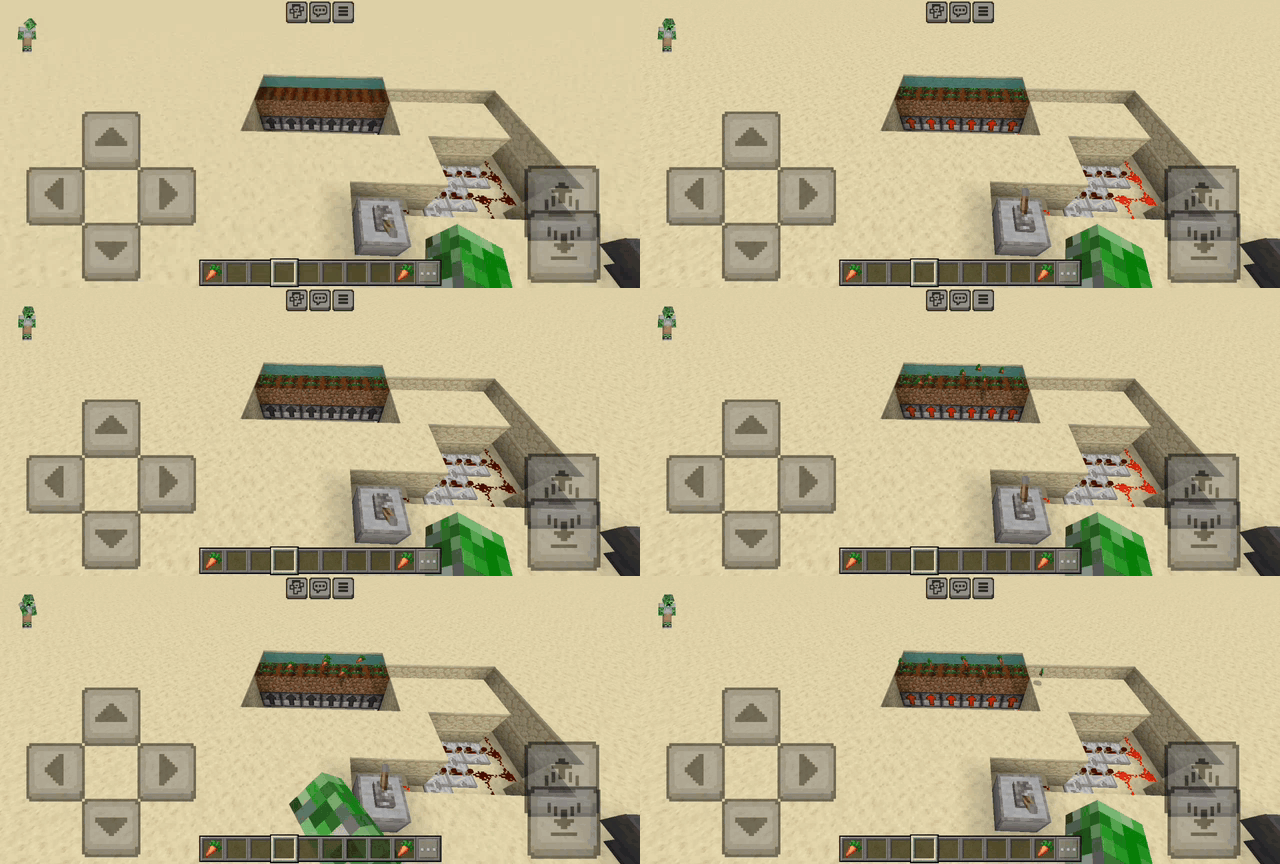
Example of structure use
What can I plant using Plant Block?
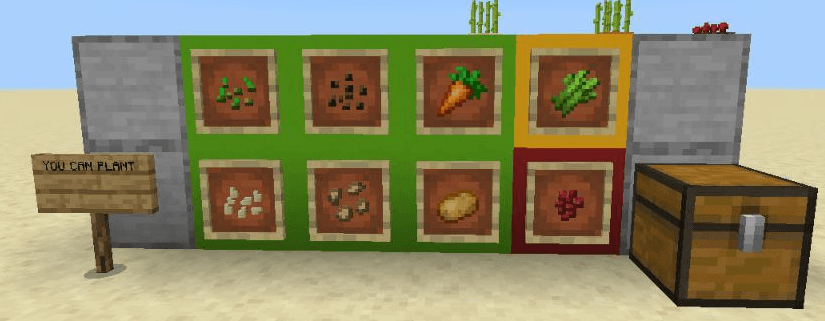
Check the list of what Plant Block supports in current version:
- wheat - farmland
- pumpkin - farmland
- melon - farmland
- beetroot - farmland
- carrots - farmland
- potatoes - farmland
- sugar cane - sand or red sand (with a block or water)
- nether wart - soul sand
Acquiring Plant Block
You can get a plant block:
- Accessing by creative inventory on "items" category
- You can get it through command line "/give @s miller:plant_block"
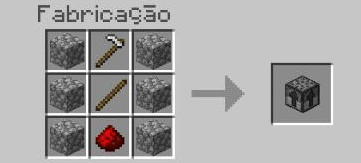
- You can also get Plant Block in survival mode, using crafting table
Example of Plant Block use
Demonstration of each seed type plating:
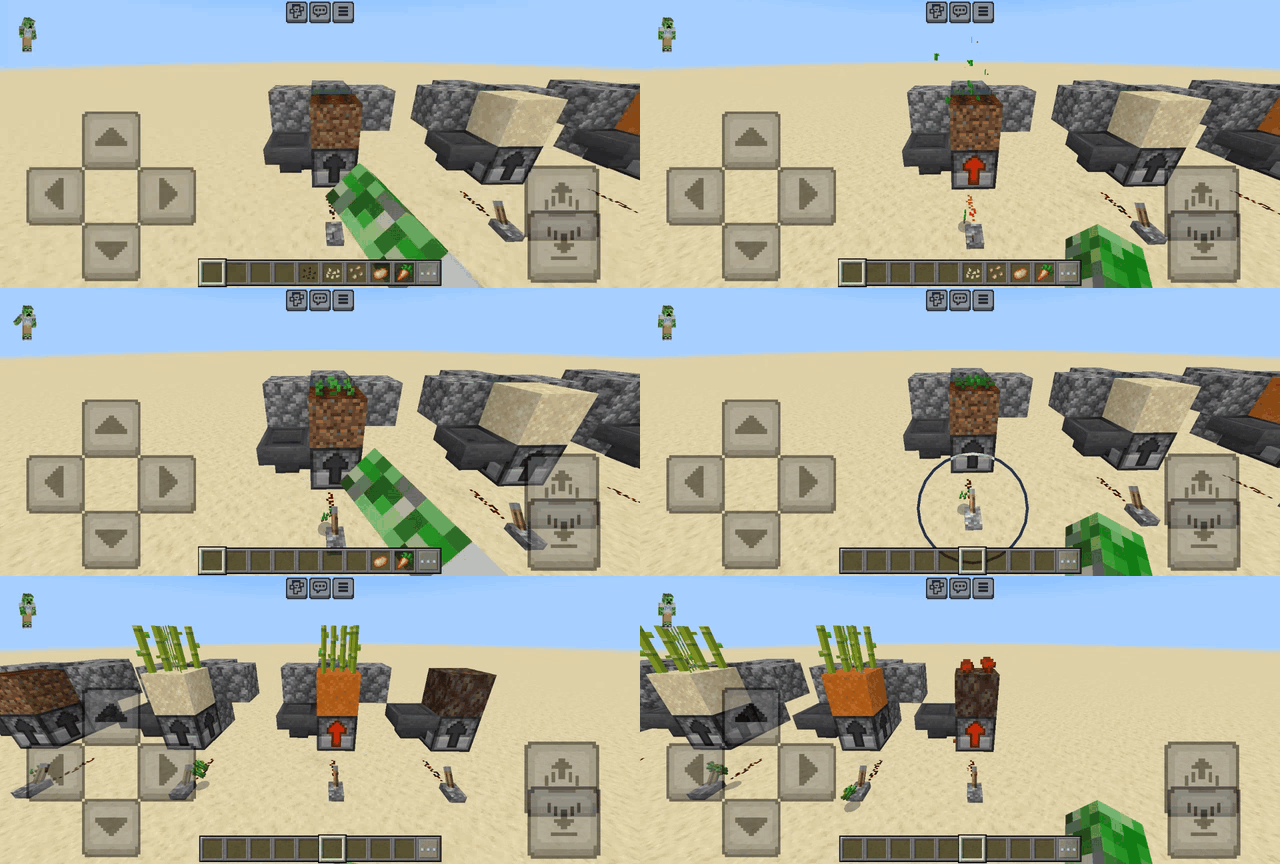
- Note that if you activate Plant Block, with a plant in its land, it will break and drop its item
Example of a bigger use of Plant Block:
Video about this Addon
WARNING
- This Addon requires cheats activated but no experimental features
- Note that Minecraft Bedrock Edition few redstone support for Addon creators. It was created using "no conventional tools" for redstone, as a result of this, avoid using too much Plant Bloks! It can lag your world - worry only if you use many of them!
- Feel free for using this Addon and even publish content with this addon, but give me credits for my work
