
[RED] SecurityCraft v1.4.0
SecurityCraft – Bedrock Edition (Unofficial Port)
Disclaimer:
This is an unofficial Minecraft Bedrock Edition port inspired by the popular SecurityCraft mod for Java Edition made by Geforce132. It does not belong to me and all credits should go to them.
Enable the Beta APIs experimental feature in order for this Add-On to work properly
This Add-On introduces a set of security-focused blocks and systems designed to protect player bases in multiplayer worlds.
Universal Block Reinforcer
The Universal Block Reinforcer allows you to upgrade standard blocks into reinforced versions.
There are 3 reinforcer levels:
- Level 1 – Basic reinforcer
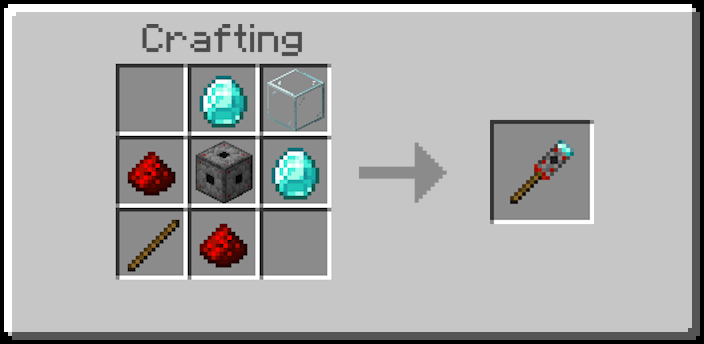
- Level 2 – Increased durability, more expensive
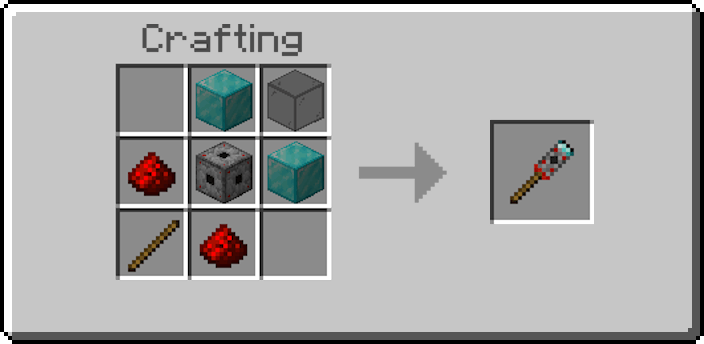
- Level 3 – Infinite durability, super expensive
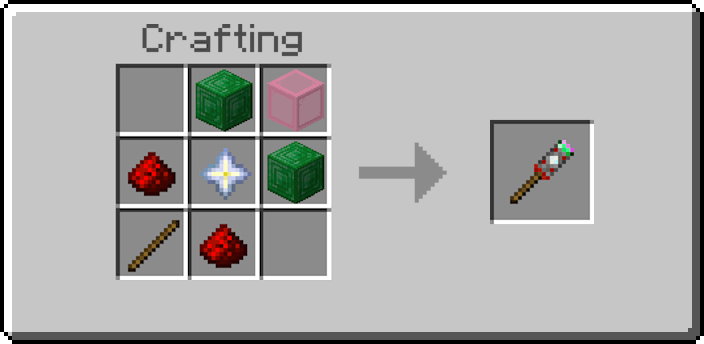
Reinforced blocks are resistant to explosions and cannot be broken by unauthorized players.
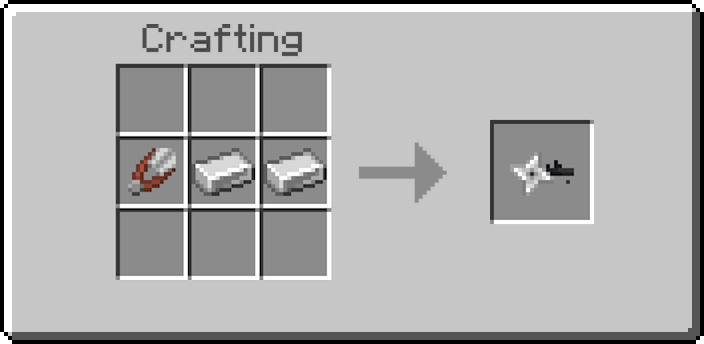
Universal Block Remover
All blocks added by this Add-On can only be removed using the Universal Block Remover.
Only the owner of the block is able to remove it.
Reinforced Iron Door
The Reinforced Iron Door functions like a normal iron door and opens via redstone.
However, it is unbreakable and resistant to explosions.
Scanner Iron Door
The Scanner Iron Door automatically opens when its owner looks at it.
It is protected against breaking by other players.
Retinal Scanner
The Retinal Scanner emits a redstone signal when the owner looks at it.
It can be used to power reinforced iron doors or other redstone mechanisms, and is also used to craft the Scanner Iron Door.
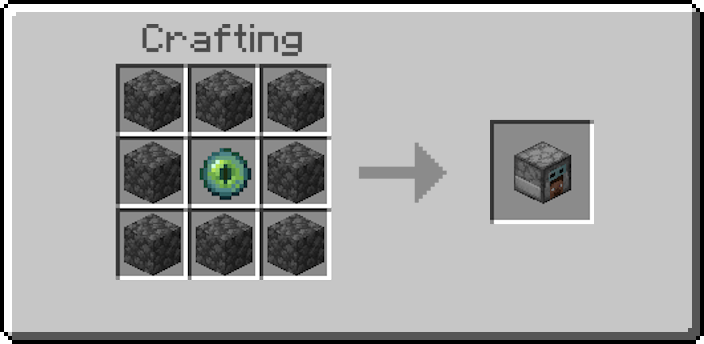
Keypad
The Keypad can be placed on a Keypad Frame and emits a redstone signal when the someone enters the correct password.
It can be used to power reinforced iron doors or other redstone mechanisms, and is also used to create the Reinforced Chest.
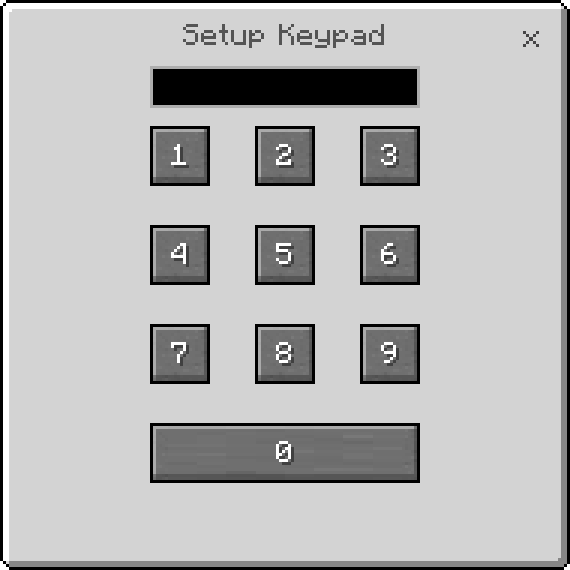
Reinforced Chest
When first placed, the owner must set a password.
Anyone who knows the password can access the chest’s contents.
Only the owner can remove the chest using the Universal Block Remover.
Sentry Turret
The Sentry Turret automatically attacks targets within its range.
It supports three modes:
- Camouflage – Hidden when no target is detected
- Aggressive – Always visible
- Idle – Disabled
It also supports three target types:
- Monsters
- Players
- Monsters & Players
The owner can configure the turret directly or control it remotely using the Sentry Remote Access.
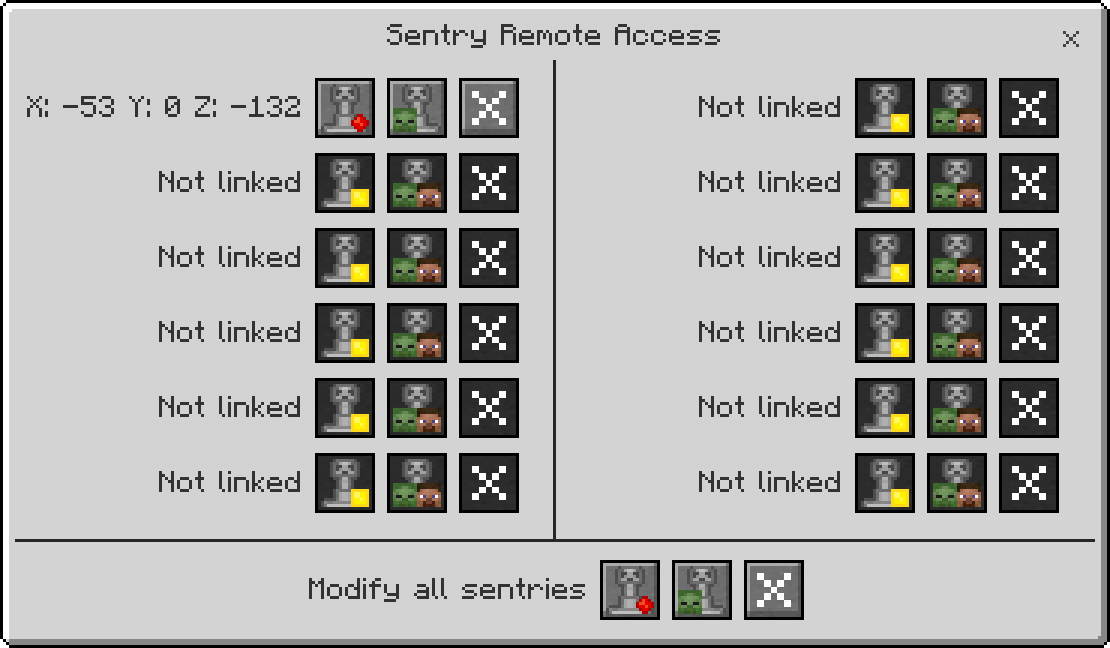
Security Camera
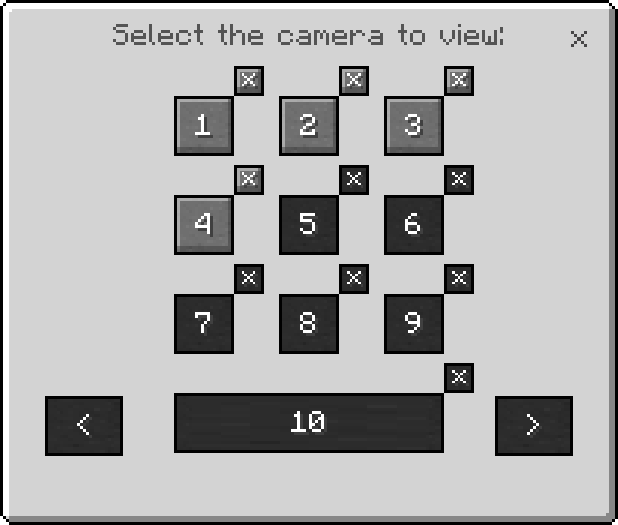
You want to know what is happening at your house but you are far away? You can install a few Security Cameras in strategic areas to be able to see everything.
In order to use it, you will have to link your camera to a Camera Monitor
Mines
The mines can be placed on the ground and will trigger once an player or a mob steps on it; but be careful, if the area is not reinforced it will leave a very pretty crater in your garden.
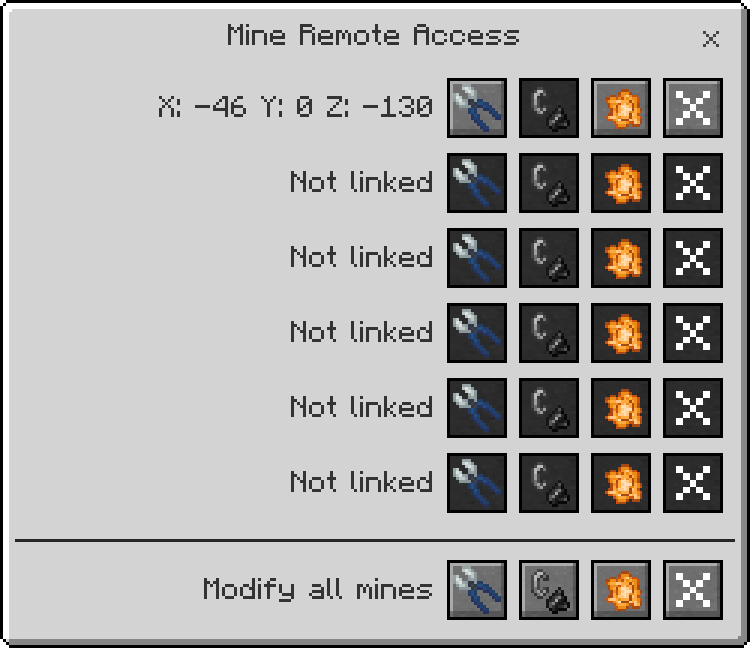
You can manually defuse mines with the Wire Cutters and refuse them with Flint and Steel. Only the owner is able to link a mine to a Mine Remote Access tool and manage it remotely.
Laser Block
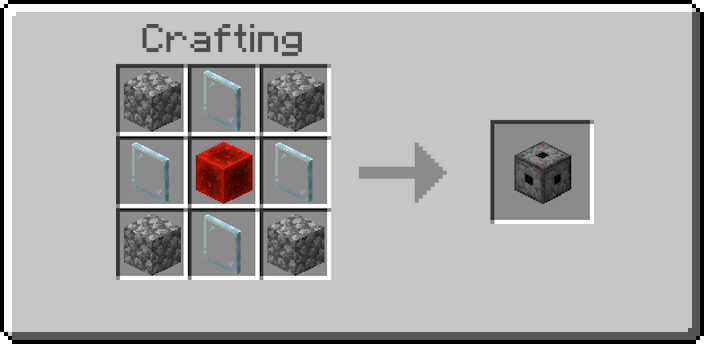
If you place 2 Laser Blocks, a laser will appear in between. It does nothing on it's own, but it can gain funcionalities by adding Modules to it using the Universal Block Modifier.
Ownership System
Each security block has an owner.
Only the owner can remove security blocks.
There is currently no whitelist system implemented.