
Real Timer | A Simple & Functional HUD Countdown
⏱️ Real Timer – A Simple & Functional HUD Countdown ⏱️
Ever get tired of memorizing long custom commands or building massive redstone setups just for a simple countdown?
Real Timer is a plug-and-play addon that adds a fully functional HUD Timer to your world. No typing, no confusing setups, and no Experimental Toggles required!
Perfect for minigames or survival challenges! 🚀
🛠️ Why It's So Simple
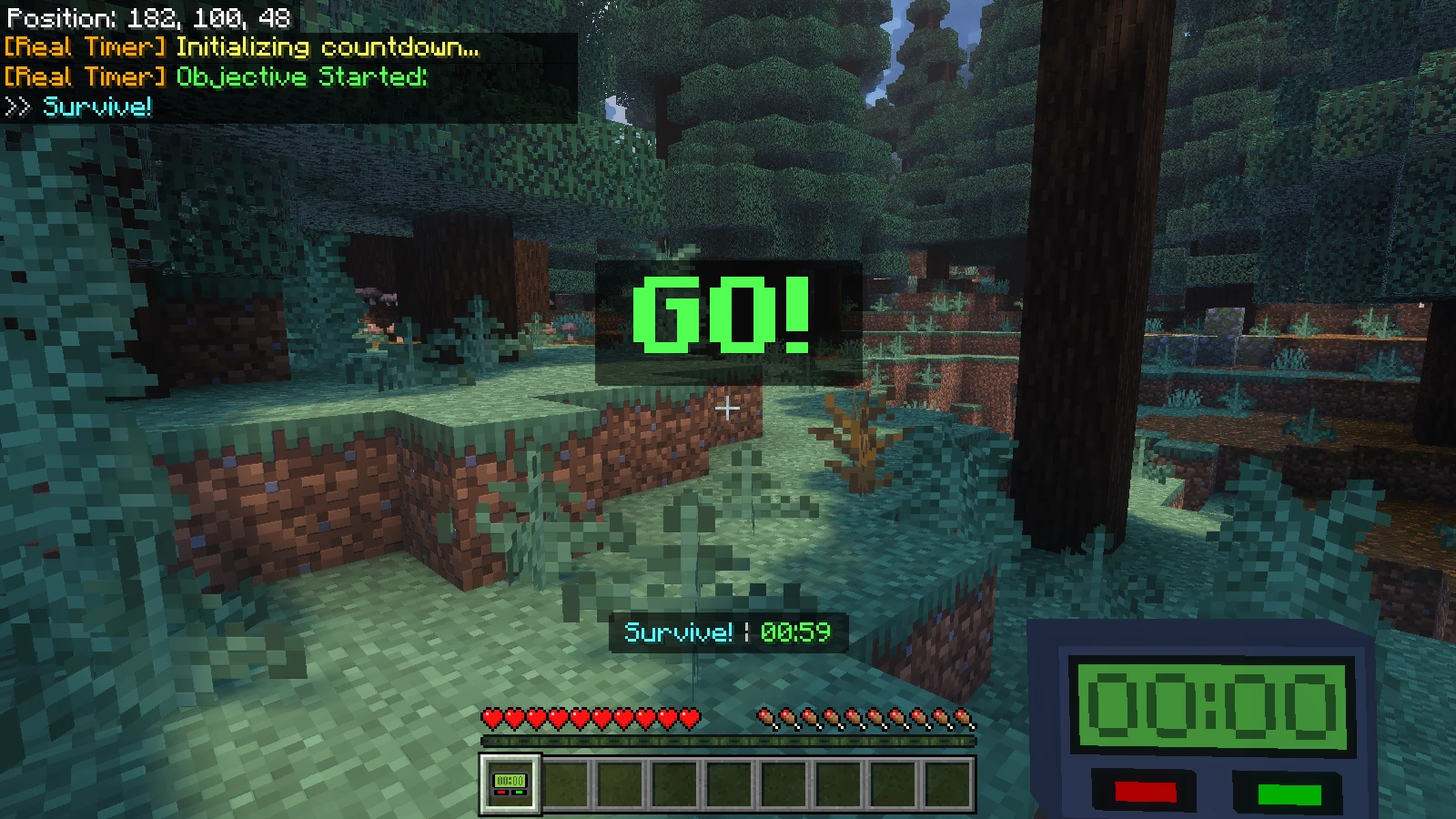
Simple setup and ready to go!
- 🚫 No Commands: Control everything through a clean UI menu. Save your fingers!
- ✅ 100% Plug & Play: No Experimental Toggles required. Just activate and play.
- 🎯 Easy Setup: Hold the item, type your objective, set the time, and start the timer. That's it!
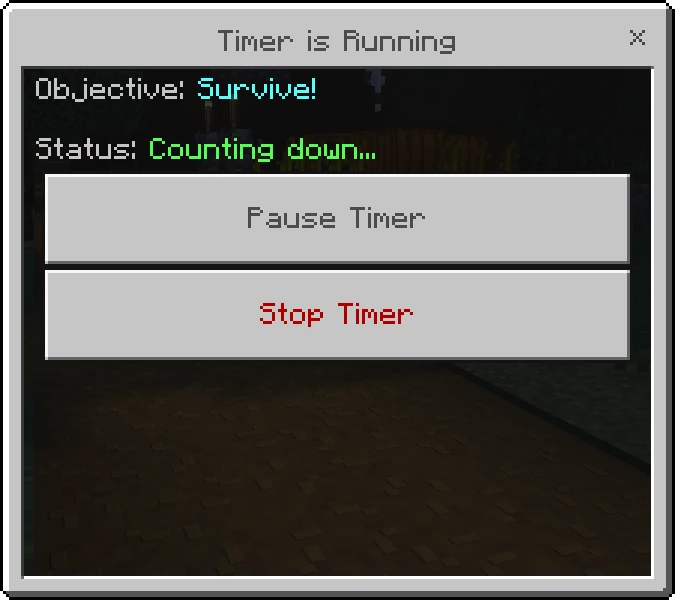
- ⏸️ Pause, Resume & Stop: Pause, resume, or stop the timer directly from the menu.
- 🌍 Action Bar HUD: The countdown syncs seamlessly on everyone's screen in real-time.
- 🎨 Dynamic Alerts: Colors change (Green ➔ Yellow ➔ Red) with warning sounds at 30s and 10s.
- 💎 Custom 3D Item: Looks amazing in both first-person and third-person views.
- 🛡️ Grief-Proof: Strictly locked to Operators. Non-OPs can't use it.
- ✅ Spam-Proof: Built-in cooldown prevents UI spamming.
🚀 How to Use
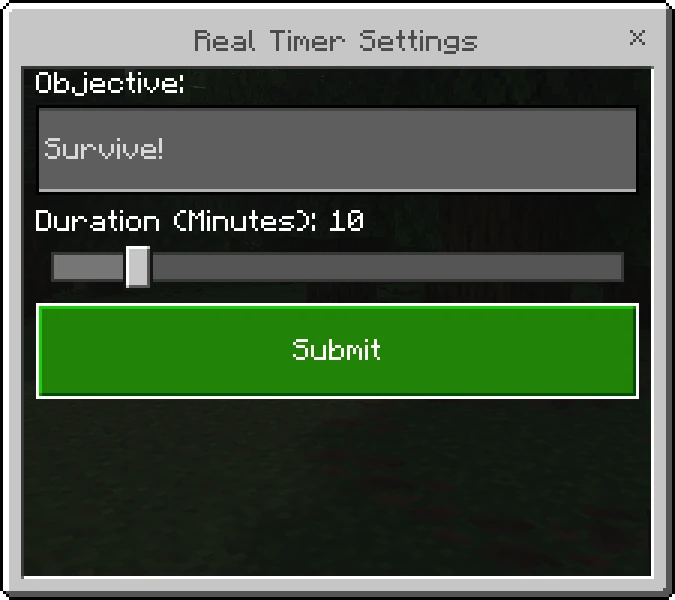
1. Set Up Your Match
- Use the Real Timer (Right-click or Tap & Hold).
- Type your Objective, set the Duration.
- Click Submit to begin the countdown!
2. Keep an Eye on the Timer
The timer runs automatically on the Action Bar. Watch for the color changes:
- 🟩 Green: Plenty of time. Keep going!
- 🟨 Yellow (30s left): A warning sound will play.
- 🟥 Red (10s left): The timer ticks every second. Hurry up!
- ⬛ Dark Gray (Paused): The timer is currently Paused by the Operator.

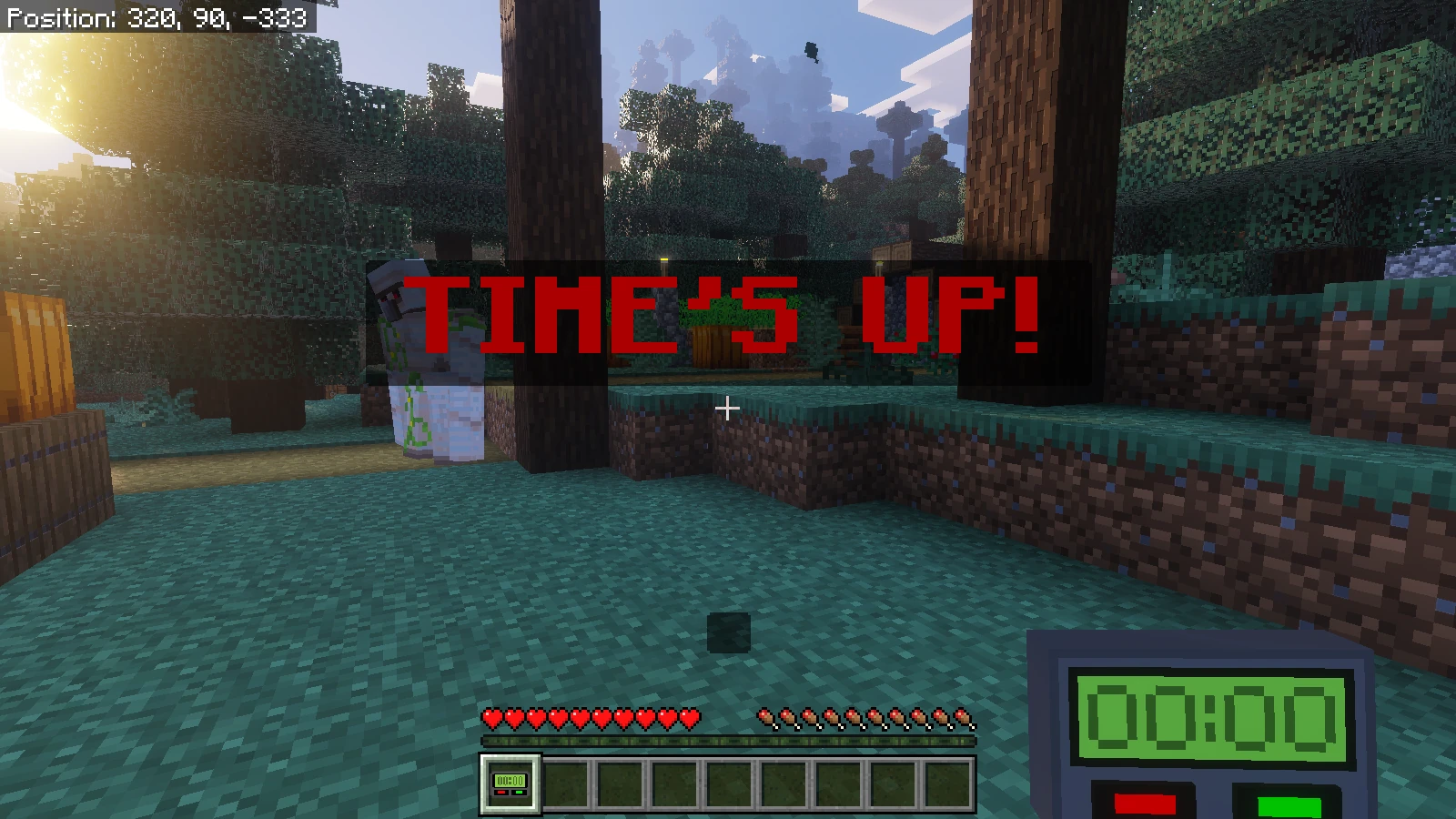
3. TIME'S UP! 💀
When time runs out, a massive TIME'S UP! title appears with a loud horn sound.
4. Timer Controls: Pause, Resume & Stop
Use the item while the timer is running to Pause, Resume, or Stop it completely. Effortless control!
📦 How to Obtain
Craft it in Survival Mode or grab it from the Equipment tab in the Creative Inventory. Cheap but powerful!
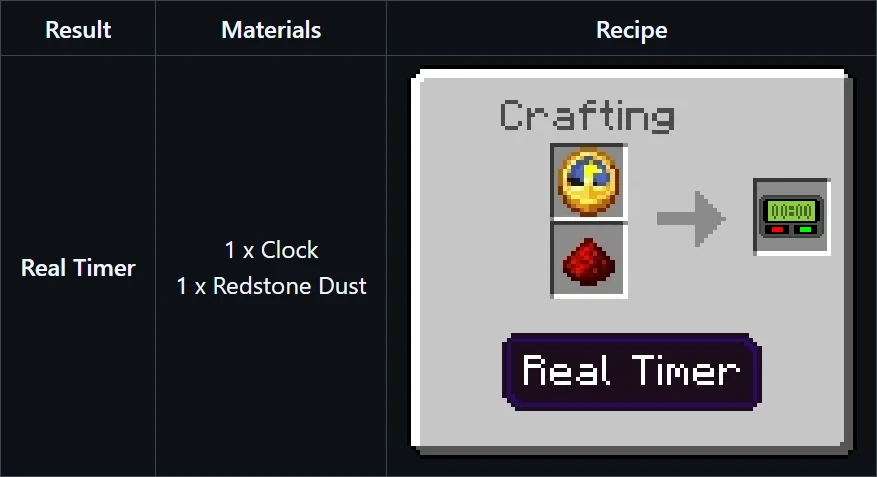
Real Timer crafting recipe
🔥 The Perfect Combo: Real Item Counter
Hosting a mining competition, farming challenge, or scavenger hunt? Pair the Real Timer with the Real Item Counter for the ultimate minigame setup!
- ⏱️ Real Timer: Sets the global countdown.
- 💎 Real Item Counter: Instantly calculates everyone's collected items when time is up.
No manual counting. No math headaches. Just pure competitive fun!
👉 Get the Real Item Counter Addon Here! 👈
⚙️ Technical Details
Built to be lightweight and functional:
- ✅ Plug & Play: No "Experimental Toggles" required!
- ✅ Universal Compatibility: Works flawlessly on Singleplayer, Realms, and Dedicated Servers for all devices.
- 🔒 Admin Protected: Only Operators can use it!
📥 Quick Install
- Grab the
.mcaddonfile. - Open it, and Minecraft does the rest.
- Enable Behavior + Resource Packs in your world settings.
- ⏱️ Craft your timer and start the challenge!
📜 License & Credits
Creator:
- Papa Alsa | YouTube: @alsahonggo
Licensed under CC BY-NC-ND 4.0.
⚠️ Permission: Modifications, commercial use (including monetized link shorteners), and reuploads on other websites are strictly prohibited. Don't be that guy who steals other people's work.
"If there is a simple timer, why bother with complicated setups?"