
Pickblock+
A simple addon that adds the ability to pickblock blocks with item data, without needing to use a keyboard! It just works.
3,268
To start off, you will need to get the [Pickblock+] Debug Stick from the creative inventory, at the bottom of the items section.
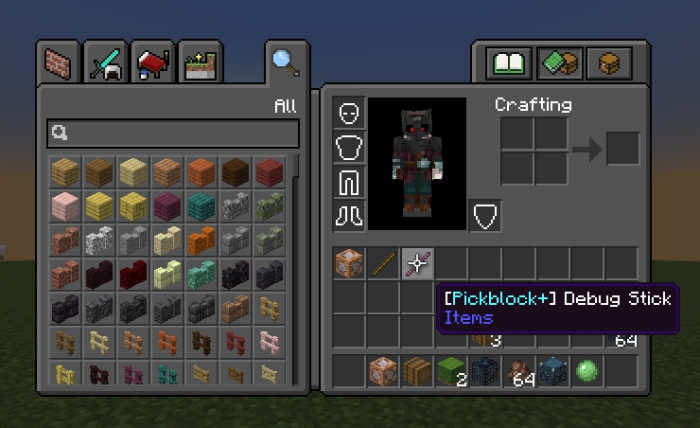 Then simply hold the [Pickblock+] Debug Stick and right click the block to have it be put into your inventory.

Whats so special about this? Well, the block keeps all of its data, like sign text, titles, and even the items inside blocks, such as chests!
(also so people dont start pointing this out, you can do all this without this addon using a keyboard, by hitting ctr and middle click at the same time, this addon is for those who cant use this feature.)
community post this solves:
Changelog:None
More versions

All Rights Reserved
09/03/2025
12:57 27/07