
OP Backup

What is OP Backup
The add-on creates a backup of your operator rights. This backup can only be managed if you have access to the add-on files. If someone tries to remove your operator rights, you can still use commands via the ! symbol. The operator backup is also more secure than the vanilla operator rights because, firstly, you can manage them at any time, and secondly, you can only execute commands but not place command blocks or use other functions available to operators.
Activation
1. go to settings and enable Beta-APIs

2. activate the addon in the world

3. You are now ready and can now go into the world
give you force op rights
- open list.js in addon
- remove "all" from the list so that no other force op can use
- write your name in the file
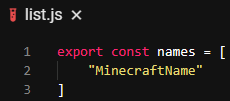
By removing "all" no one except the people on the list has Force OP rights
Join Message
If you have an OP backup, you will receive this message when joining

commands
If you type !help in chat this message will appear
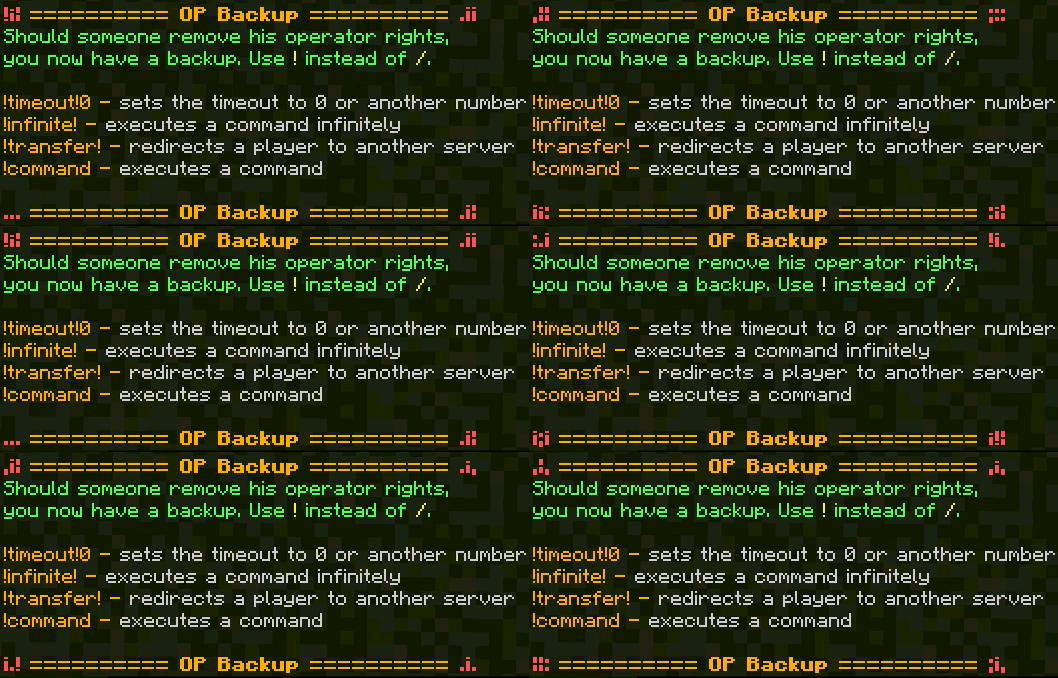
!timeout!
If you enter this in chat and then a number like 1 or 20, every command that is executed in the future will be executed ... seconds later, even if you log out.
!infinite!
If this is sent in chat, the command entered afterward will be executed infinitely. For example, !infinite!say hi. Now the command /say hi will be executed infinitely until the same command is sent again in chat. Then the command will stop until the same command is sent again.
!transfer! name mcserver.net 19393
With the additional command, it is possible to transfer any player to another server. To do this, replace the first character in the command with the name, the second character with the target IP address, and the last character in the command with the server's port.
!
The ! is used quite normally for commands. Instead of a /, a ! is used here.
The add-on works in all worlds where Beta APIs are enabled. Unfortunately, changing the game mode isn't possible in hardcore worlds because Minecraft blocks this. The add-on is safer than the vanilla OP mode because you can simply give yourself OP in-game, but it's not that easy with the add-on since you first have to edit the correct file.