My Totem Doll 3d
3D Totem Player
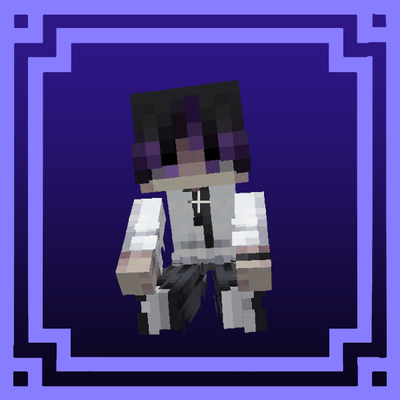
Bring your own Minecraft skin to life as a fully animated 3D Totem Player!
This resource pack transforms the Totem of Undying into a custom 3D player model that uses your own skin and integrates with the Action & Stuff animation system. The totem features various animations and interactions, creating a much more immersive experience than the default item.
Features
- Custom 3D Totem Player model
- Uses your own Minecraft skin
- Compatible with Action & Stuff animations
- Animated interactions and movements
- Supports both Slim (Alex) and Wide (Steve) skin types
- Easy skin replacement
Requirements
This pack requires the Action & Stuff resource pack from the Minecraft Marketplace.
Without Action & Stuff installed and enabled, the Totem Player animations will not function correctly.
Installation
For Slim (Alex) Skins
1. Open:
textures/entity/totem/alex
2. Remove the existing Alex skin file.
3. Add your own skin image.
4. Rename your skin file to match the original Alex file name.
For Wide (Steve) Skins
1. Open:
textures/entity/totem/steve
2. Remove the existing Steve skin file.
3. Add your own skin image.
4. Rename your skin file to match the original Steve file name.
Pack Settings
After installing the pack:
- Select Slim (Alex) if your skin uses the Slim model.
- Select Wide (Steve) if your skin uses the Classic/Wide model.
Using the correct model setting ensures the Totem Player displays properly.
Important
To make the animated Totem Player work correctly, you must enable Action & Stuff before enabling this pack.
Enjoy bringing your own character into the world as a fully animated 3D Totem Player!