

Lily's Money
Lily’s Money adds a simple, scoreboard-based economy to Minecraft Bedrock with custom / commands + optional GUI shop.
8,161
Lily’s Money (Bedrock) v2.2 — Economy + GUI Shop + Jobs
⚠️ IMPORTANT ⚠️
- Features listed here are for the latest version only. Older versions may be missing features.
- Don’t wait for mods to break before checking for updates :3
- You MUST enable Beta APIs / Experiments for this pack to work.
- To become an admin:
/tag @s add admin - By default, money is not displayed anywhere — admins must enable it with
/moneysettings.
Economy system
Your economy is stored in two scoreboards:
money(dollars)moneycent(cents, always kept 0–99)
The script automatically normalizes cents:
- cents over 99 → converts into dollars
- negative cents → borrows from dollars
This makes decimal amounts like $0.40 or $1.01 work smoothly.
Quick Start
- Enable Beta APIs / Experiments
- Add the behavior pack to your world
- (Admin) Run:
/tag @s add admin - (Admin) Configure money display:
/moneysettings - Use:
/moneyhelp 1for help pages
Commands
Player commands
/balanceor/bal [player]— view a balance (defaults to you)/pay <playerName | @s | @p | @r> <amount>— pay another player (no debt)- Players only (command blocks can’t use
/pay) - Refuses if you don’t have enough money
- Players only (command blocks can’t use
Note: /pay uses player names + simple selectors (@s/@p/@r) to stay compatible with non-OP players.
Admin / Command Block tools
Admins are players with the admin tag.
/addmoney <player> <amount>— adds money/removemoney <player> <amount>— removes money (can go negative)/setmoney <player> <amount>— sets exact balance (can be negative)/buy <playerName | @s | @p | @r> <item> <amount> <priceEach>— gives items and charges money (no debt)/sell <playerName | @s | @p | @r> <item> <amount> <priceEach>— takes items and pays money/topmoney [page]//baltop [page]//balancetop [page]— leaderboard/moneysettings— global money display toggles/moneyhelp [page]— help pages
Debt rules
- ✅ Only
/setmoneyand/removemoneycan put a player into negative money. - ❌
/pay,/buy, and shop purchases refuse if the player can’t afford it.
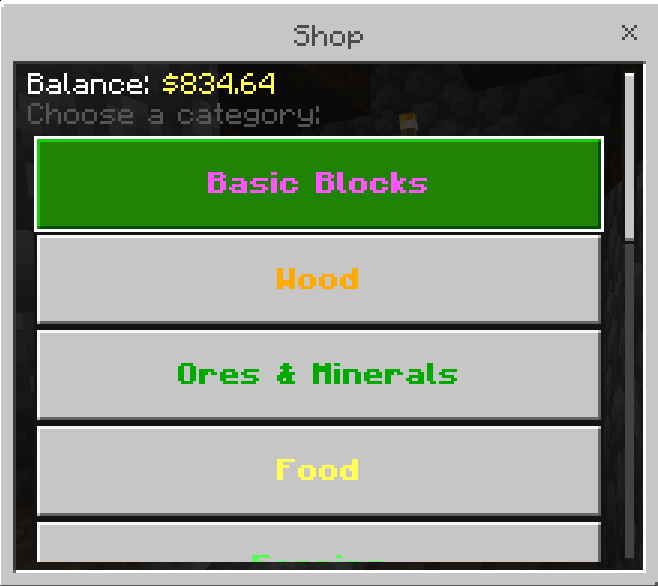
Full GUI Shop (UI only)
/shopopens the shop UI.- you can also use /shop <item> to directly find items or categorys in the shop
For players
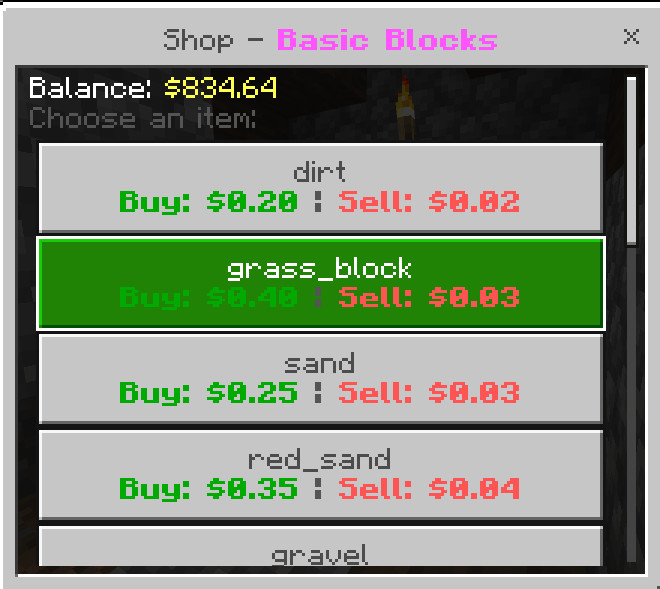
- Browse categories and items
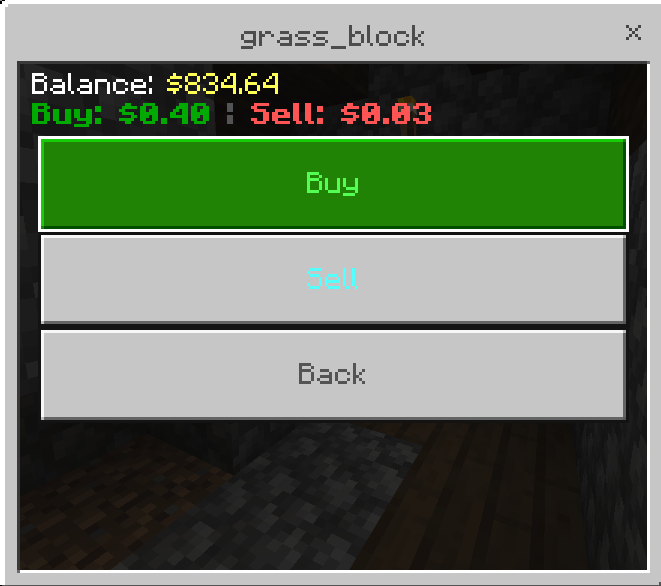
- Buy/sell depending on what admins enabled
- Uses your real balance (no debt purchases)
For admins
Admins see an Edit Shop button in the UI where they can:
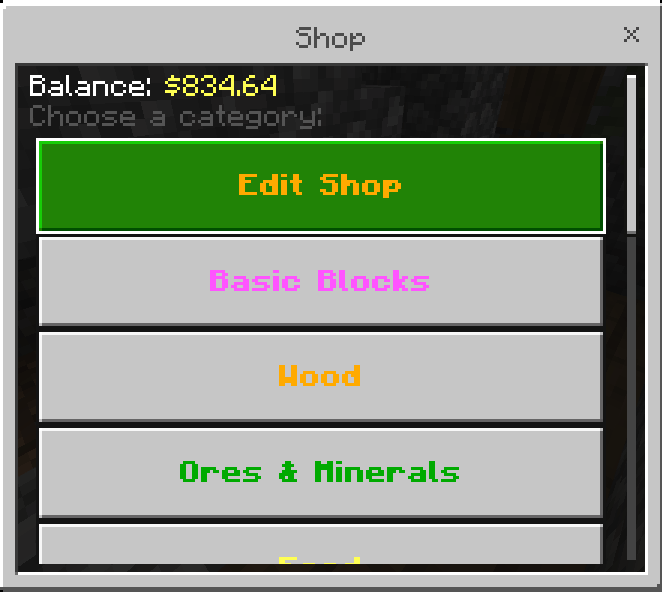
- Create / delete categories
- Add / remove items
- Move items between categories
- Set buy price and sell price separately
- Make items buy-only, sell-only, or both
- Clear the entire shop quickly if you want to start over
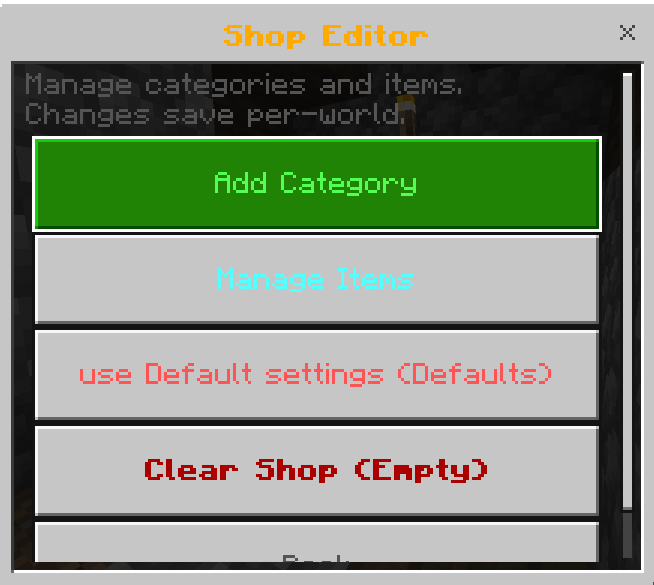
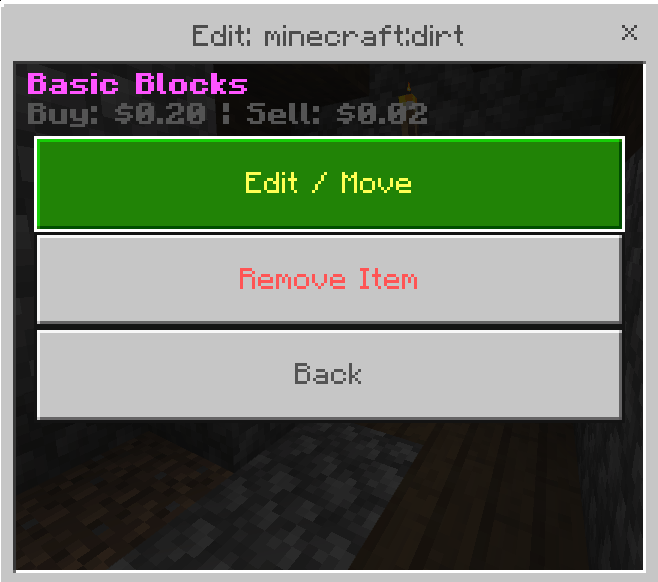
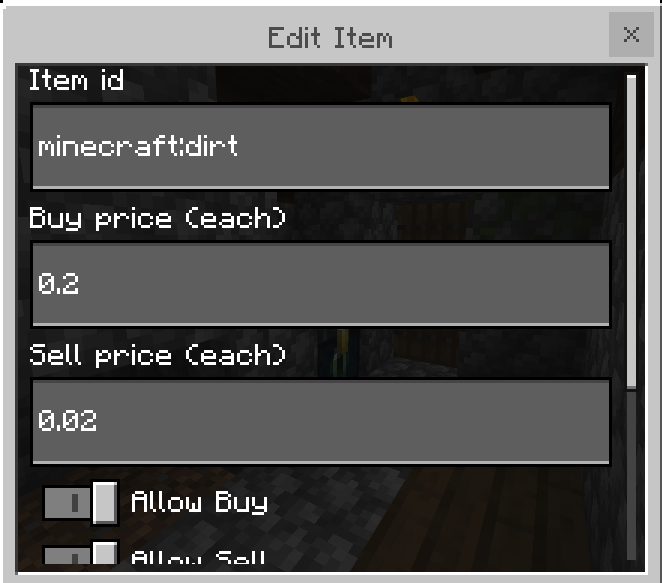
Shop settings are saved per world and persist across reloads.
If the shop isn’t configured yet, players will see a message telling them to ask an admin.
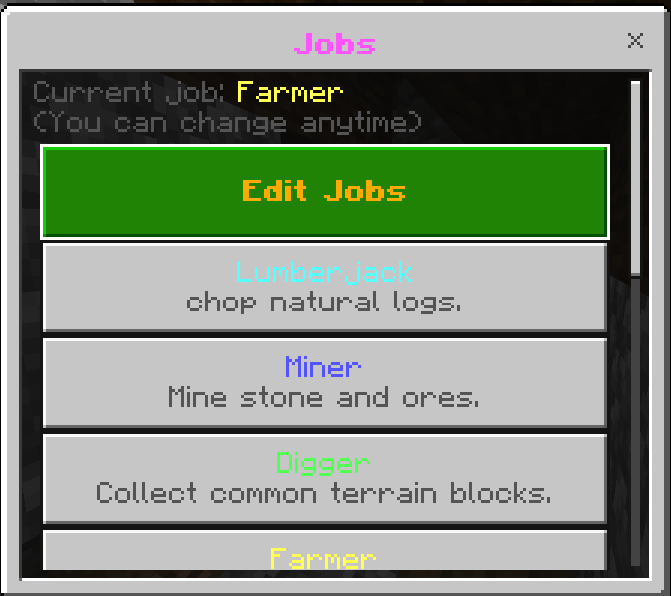
Jobs system (UI + configurable)
/jobopens the jobs UI.- Players can join one job at a time and switch anytime.
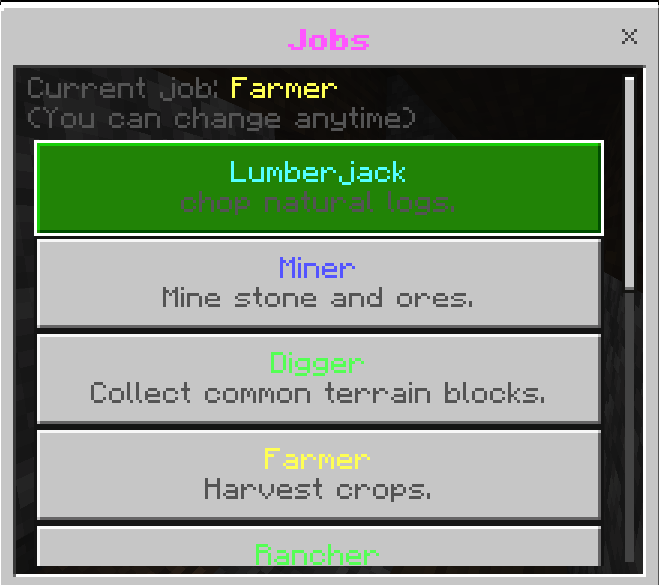
Default jobs include:
- Lumberjack (logs)
- Miner (ores)
- Mob Hunter (animals)
- Hunter / Night Shift (hostile mobs)
- Fisherman (fish items)
- Farmer (harvested crops)
Admins can edit jobs in-game:
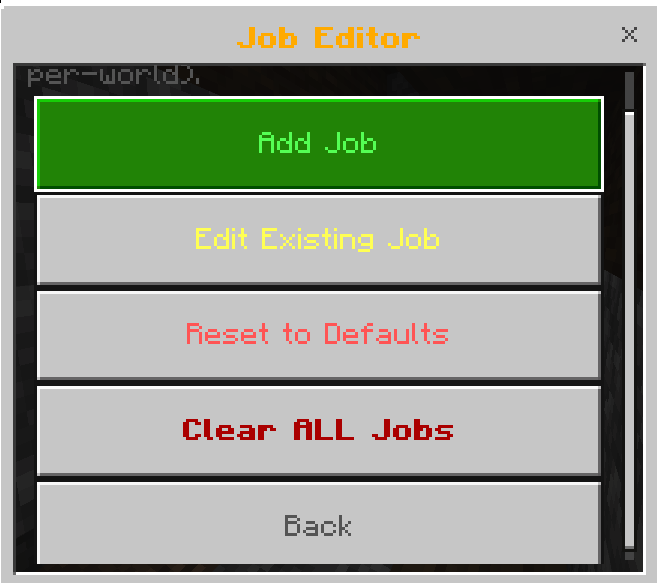
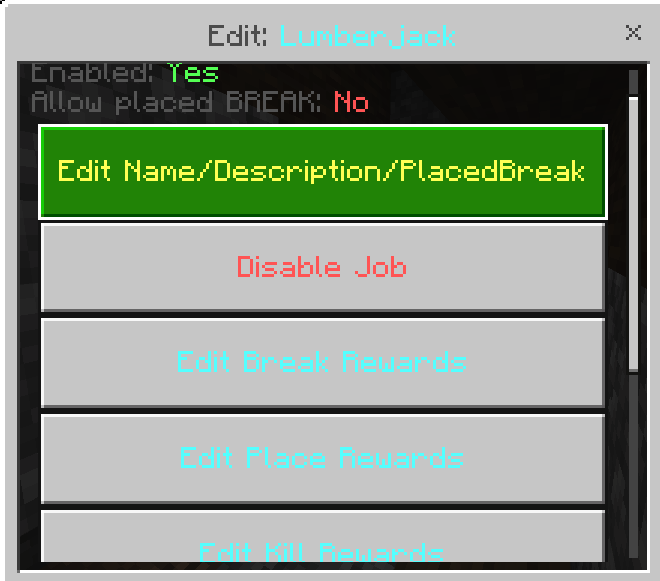
- Create/delete jobs
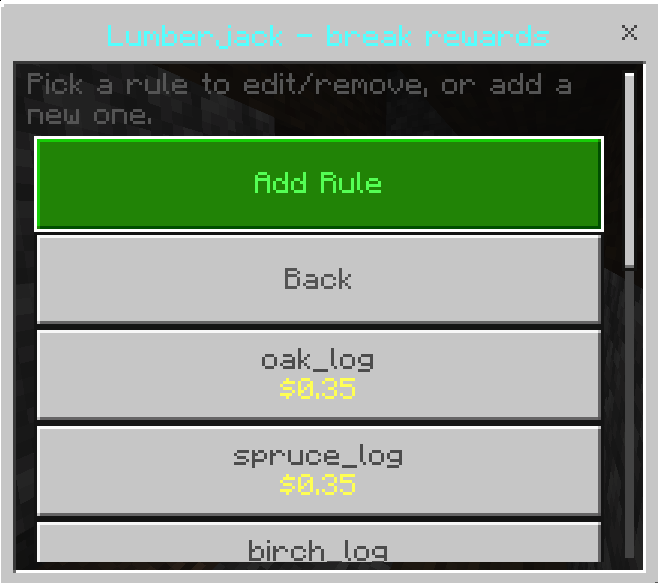
- Configure rewards for:
- breaking blocks
- placing blocks
- killing entities
- picking up items
- Includes anti-exploit protection for “place → break → infinite money” for break-reward blocks.
Jobs are saved per world and persist across reloads.
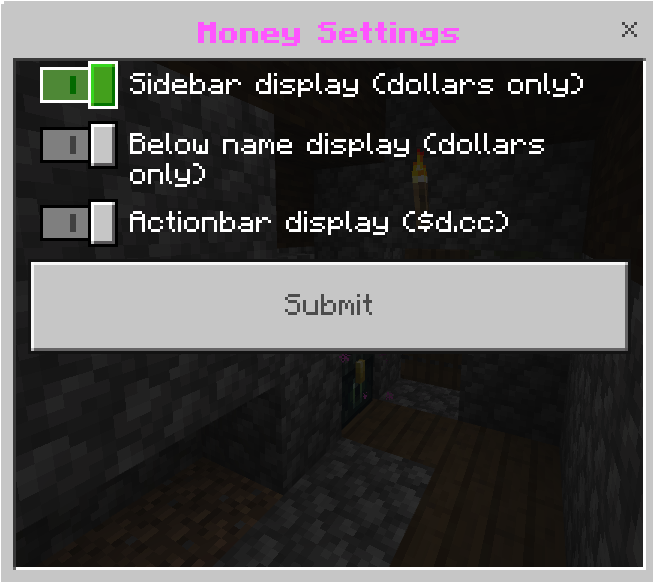
Money display settings (global)
Admins can control where money appears for everyone:
/moneysettingsopens a UI with toggles:- Sidebar display (dollars only)
- Below-name display (dollars only)
- Actionbar display (
$d.cc)
Perfect for
- Survival servers with player trading
- Roleplay realms (jobs, salaries, taxes)
- Adventure maps with GUI shops
- Simple economy that stays compatible with other systems (scoreboard-based)
Requirements
- Minecraft Bedrock with Beta Script APIs / Experiments enabled
- Behavior Pack with scripts enabled
(Uses@minecraft/serverand@minecraft/server-ui)
Credits
Made by LilyTheCatgirl (LilyTheCat9862 in MC)
Discord: https://discord.gg/mVJmmAuQeX

All Rights Reserved
24/12/2025
03:15 27/05