
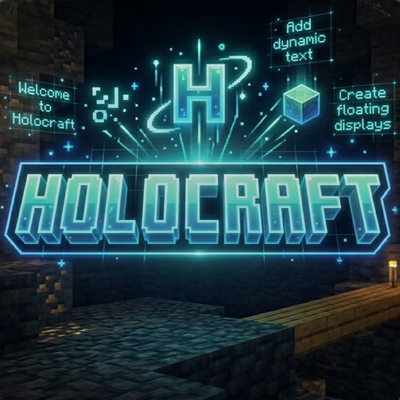
HOLOCRAFT
Place floating, animated hologram displays anywhere in your world using simple chat commands. Perfect for servers, adventure maps, and custom lobbies.
3,289
🔷 HOLOCRAFT — Holographic Displays
Created by NIXO | https://nixo-studio.pages.dev Requires: Minecraft Bedrock 1.21.130+ | Beta APIs enabled
What is HOLOCRAFT?
HOLOCRAFT lets you spawn floating holographic text displays anywhere in your world — caves, lobbies, arenas, or adventure maps. Holograms are persistent (saved across sessions), support multiple lines of text, and can be animated with color effects.
No commands blocks needed. No complicated setup. Just type and go.
✨ Features
- Floating name-tag holograms that stay exactly where you place them
- Multi-line support — add as many lines as you need
- Animations — Rainbow cycling and Blinking effects built in
- Cross-dimension support — works in Overworld, Nether, and The End
- Auto-respawn — holograms reload automatically if the chunk unloads
- Persistent storage — all holograms survive world reloads
- Admin permission system — only players with the
admintag can manage holograms - Orphan cleanup — stale hologram entities are automatically removed
📋 Commands
All commands require the admin tag. Give it with /tag <player> add admin.
| Command | Description |
|---|---|
!holo create <id> <text> |
Spawn a hologram at your location |
!holo remove <id> |
Delete a hologram |
!holo addline <id> <text> |
Add a new line to an existing hologram |
!holo removeline <id> <line#> |
Remove a specific line |
!holo movehere <id> |
Move a hologram to your current position |
!holo anim <id> <rainbow|blink|none> |
Set the animation style |
!holo list |
List all active hologram IDs |
!holo help |
Show the in-game help menu |
⚙️ Installation
- Download the
.mcaddonfile - Double-tap it to import into Minecraft (or place it in your
com.mojangfolder on Android) - Apply both the Behavior Pack and Resource Pack to your world
- In world settings, enable Beta APIs under Experiments
- Give yourself the admin tag:
/tag @s add admin - Type
!holo helpin chat to get started
Changelog:None
More versions

All Rights Reserved
26/03/2026
20:50 09/06