
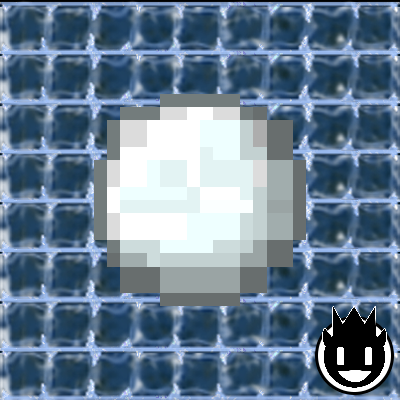
Frozen GUI Pack
Frozen GUI Pack is a Minecraft texturepack for the bedrock version.
232

FROZEN🧊
Experience the chill with the Frozen Bedrock Texture Pack for Minecraft! This texture pack transforms your game with an icy theme, giving all graphics a frosty appearance.
🖼| EXAMPLE
Joysick and Aim Crosshair

D-Pad and Tap

Joystick and Tap

more examples in the picture gallery above ⬆️
🗒| DESCRIPTION
The pack includes a range of user interface modifications, such as a redesigned action bar, inventory, creative mode, and title screen. Each element has been meticulously crafted to create a cold and frosty environment, immersing you in an enchanting, icy world. This texture pack brings an icy atmosphere to Minecraft, enhancing the player experience with its beautifully chilled design.
New! with this pack:
- start screen - controls:
- settings screen - joysick and aim crosshair
- buttons - d-pad and tap
- gui - joystick and tap
- hotbar
Note: If you encounter any issues, make sure that the texture pack is compatible with your version of Minecraft, and that you have followed all of the steps correctly.
 - YOUTUBE
  - DISCORD
  - TWITTER
  - INSTAGRAM
Hey,
We invite you to join our Discord community where you can connect with fellow players, share your ideas, and report any bugs you encounter. Whether you have suggestions for improving the hotbar or need support with any issues, our community is here to help. Let’s build, explore, and create together


🏁| LAST TEXTURE PACK BY ZNYGAMES
Check out the latest pack! ▶️DARKMODELITE
💖| THX!
See you in the next pack!
Experience the chill with the Frozen Bedrock Texture Pack for Minecraft! This texture pack transforms your game with an icy theme, giving all graphics a frosty appearance.
🎞| TRAILER
🖼| EXAMPLE
Joysick and Aim Crosshair
D-Pad and Tap
Joystick and Tap
more examples in the picture gallery above ⬆️
🗒| DESCRIPTION
The pack includes a range of user interface modifications, such as a redesigned action bar, inventory, creative mode, and title screen. Each element has been meticulously crafted to create a cold and frosty environment, immersing you in an enchanting, icy world. This texture pack brings an icy atmosphere to Minecraft, enhancing the player experience with its beautifully chilled design.
New! with this pack:
- start screen - controls:
- settings screen - joysick and aim crosshair
- buttons - d-pad and tap
- gui - joystick and tap
- hotbar
🛈| INSTALL
Note: If you encounter any issues, make sure that the texture pack is compatible with your version of Minecraft, and that you have followed all of the steps correctly.
Install BEDROCK
- Open the Minecraft Bedrock app on your device and sign in to your Xbox Live account.
- Click on the gear icon in the top left corner to open the "Settings" menu.
- Select "Resource Packs" from the "Settings" menu.
- Click on the "Import Resource Pack" button to add the texture pack from your device.
- Select the added texture pack from the list of available resource packs and click "Select".
- Restart the game to apply the changes.
- You should now see the One Piece texture pack in your game.
💬| COMMUNITY (っ^▿^)۶🍸🌟🍺٩(˘◡˘ )
- YOUTUBE - DISCORD - TWITTER - INSTAGRAMHey,
We invite you to join our Discord community where you can connect with fellow players, share your ideas, and report any bugs you encounter. Whether you have suggestions for improving the hotbar or need support with any issues, our community is here to help. Let’s build, explore, and create together
🏁| LAST TEXTURE PACK BY ZNYGAMES
Check out the latest pack! ▶️DARKMODELITE
💖| THX!
See you in the next pack!

Changelog:None
More versions