Enchantment Icons
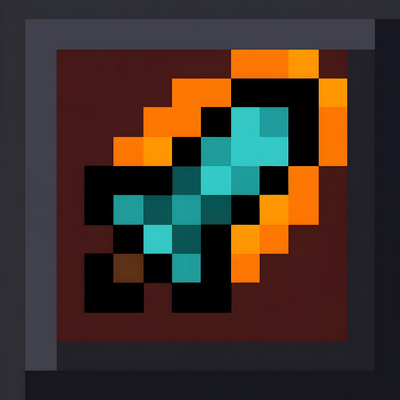
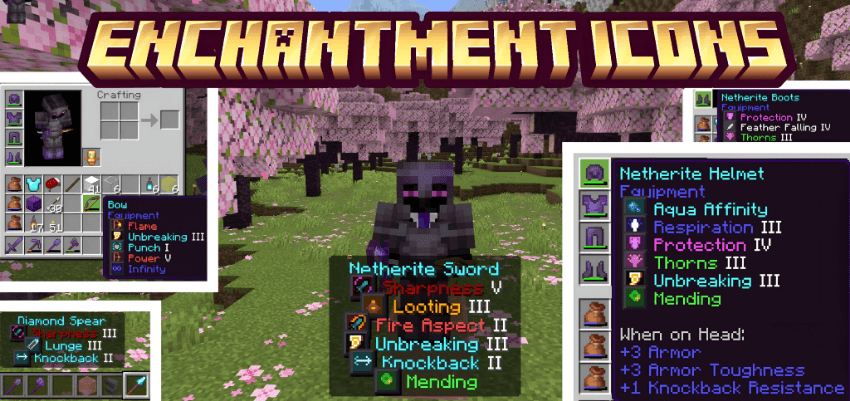
Enchantment Icons adds unique colored pixel-art icons next to every enchantment name in your inventory tooltips. No more reading through walls of text, just glance at the icon and instantly know what each enchantment is.
What's New:
- Added a No Box subpack variant, clean pixel-art icons without the dark background boxes
- Switch between Boxed (Default) and No Box styles right from the pack settings screen, no need to download separate packs
What's Included:
- 42 pixel-art icons covering every enchantment in the game
- Two style variants: Boxed (classic look with dark borders) and No Box (clean, transparent icons)
- Each icon is color-coded to match its enchantment type, swords, bows, armor, tridents, and more
- Supports all enchantments up to the latest update including Density, Breach, Wind Burst, and Lunge
Supported Languages: English, German, Spanish, French, Italian, Portuguese, Russian, Japanese, Korean, Chinese, Hindi, Polish, Dutch, Swedish, Danish, Norwegian, Finnish, Hungarian, Czech, Slovak, Turkish, Greek, Bulgarian, Ukrainian, Vietnamese, Indonesian, and more — 31 languages in total.
How It Works: The pack uses custom glyph icons mapped to enchantment names through language files. Just activate it in your Global Resources, pick your preferred style in the pack settings, and you're good to go. Icons will automatically appear next to enchantment names in item tooltips. No behavior packs, no add-ons, no dependencies — it's a standalone resource pack.
How to Switch Styles:
- Apply the pack in Global Resources (or to your world)
- Tap the gear icon next to the pack name
- Choose Boxed (Default) or No Box
Compatibility:
- Minecraft Bedrock 1.20 and above, 26.0+
- Works on all platforms, mobile, console, and PC
- Safe to use alongside other texture packs
If you have any suggestions or want an icon changed, feel free to leave a comment!