
Effortless Building
Effortless Building
Achievements Friendly & Survival Friendly
Lightweight Performance - Full Custom Block Support
Build smarter, not harder.
Effortless Building is a Bedrock addon inspired by the iconic Java mod of the same name by Requioss. Instead of placing blocks one at a time, you pick a build mode, click two or three times, and entire structures appear: lines, walls, floors, spheres, cones, diagonal ramps, and more, all while consuming the correct blocks from your survival inventory. v3 is the biggest update yet, adding Cut mode, the Cone shape, a 20-slot Clipboard Manager, Selection Zoom, ghost paste preview, Bezier curves, and a completely rebuilt Mode Selector with pinning and Quick Access.
PC Gameplay (By Eckosoldier)
Mobile Gameplay (Android/IOS)
✦ 14 Build Modes
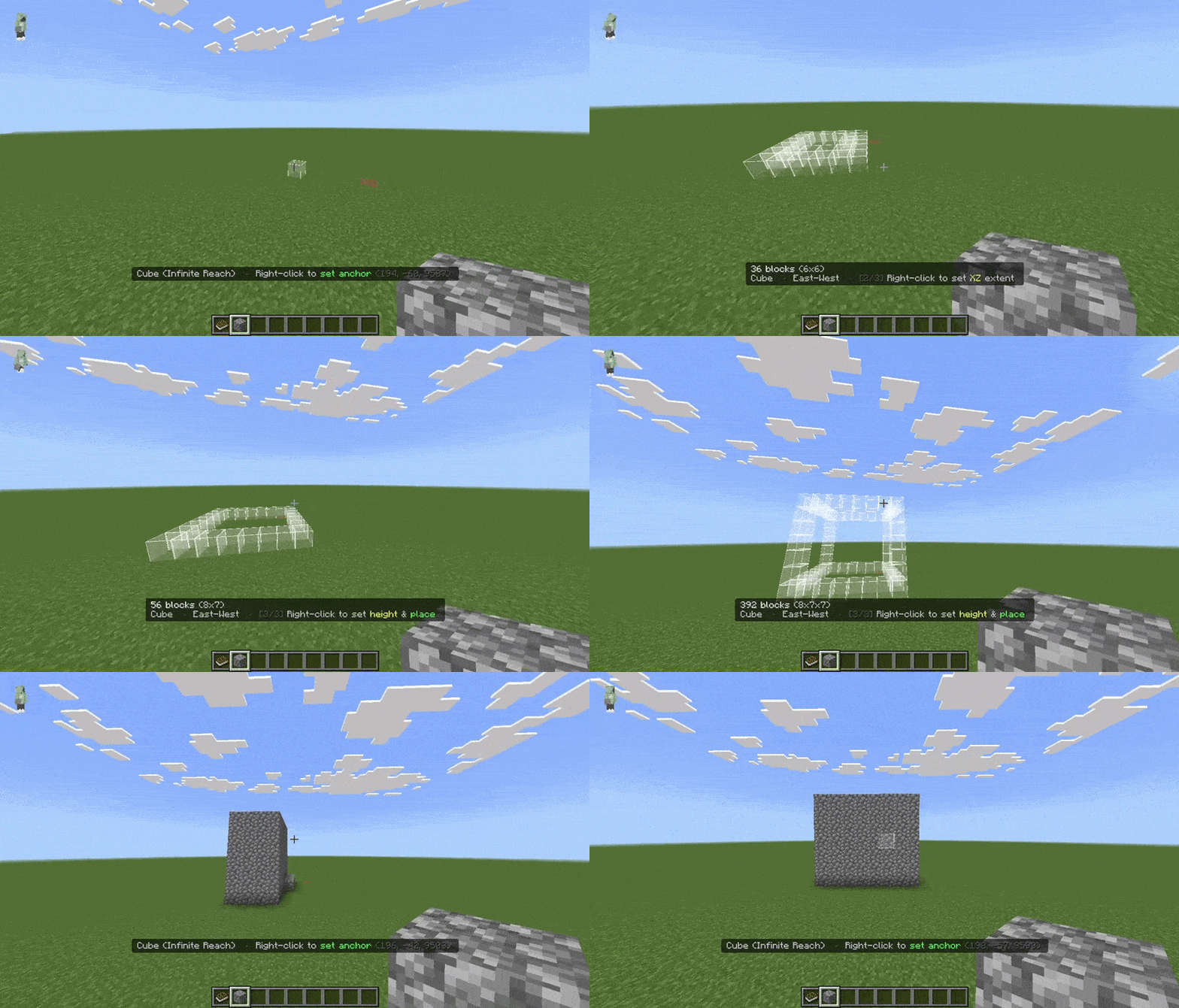
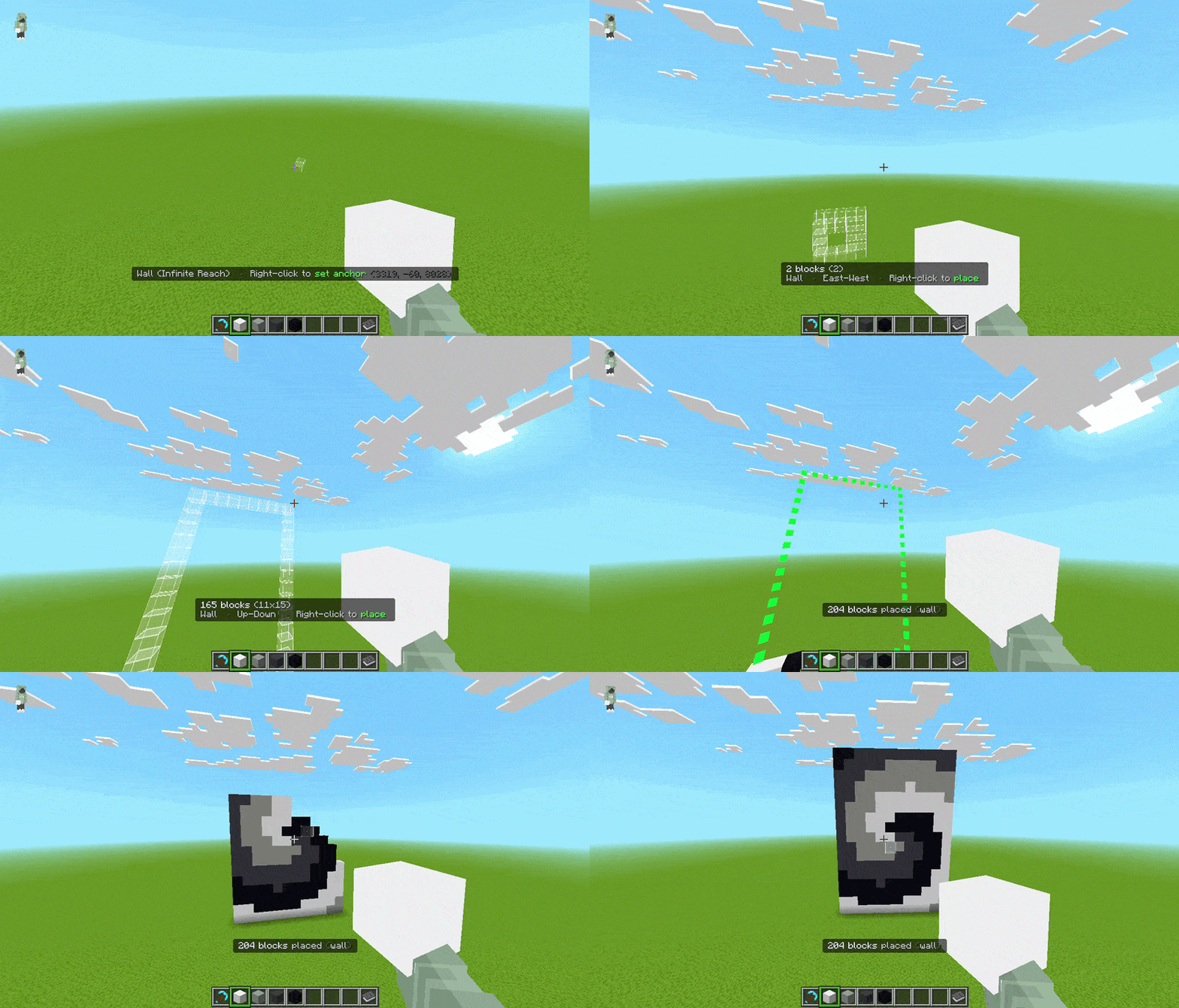
Every mode works in both Survival and Creative. 2-step modes take two right-clicks (anchor then build). 3-step modes take three (anchor, XZ footprint, then height + build). Each mode has its own options toggled inside the Mode Selector.
2-Step Modes
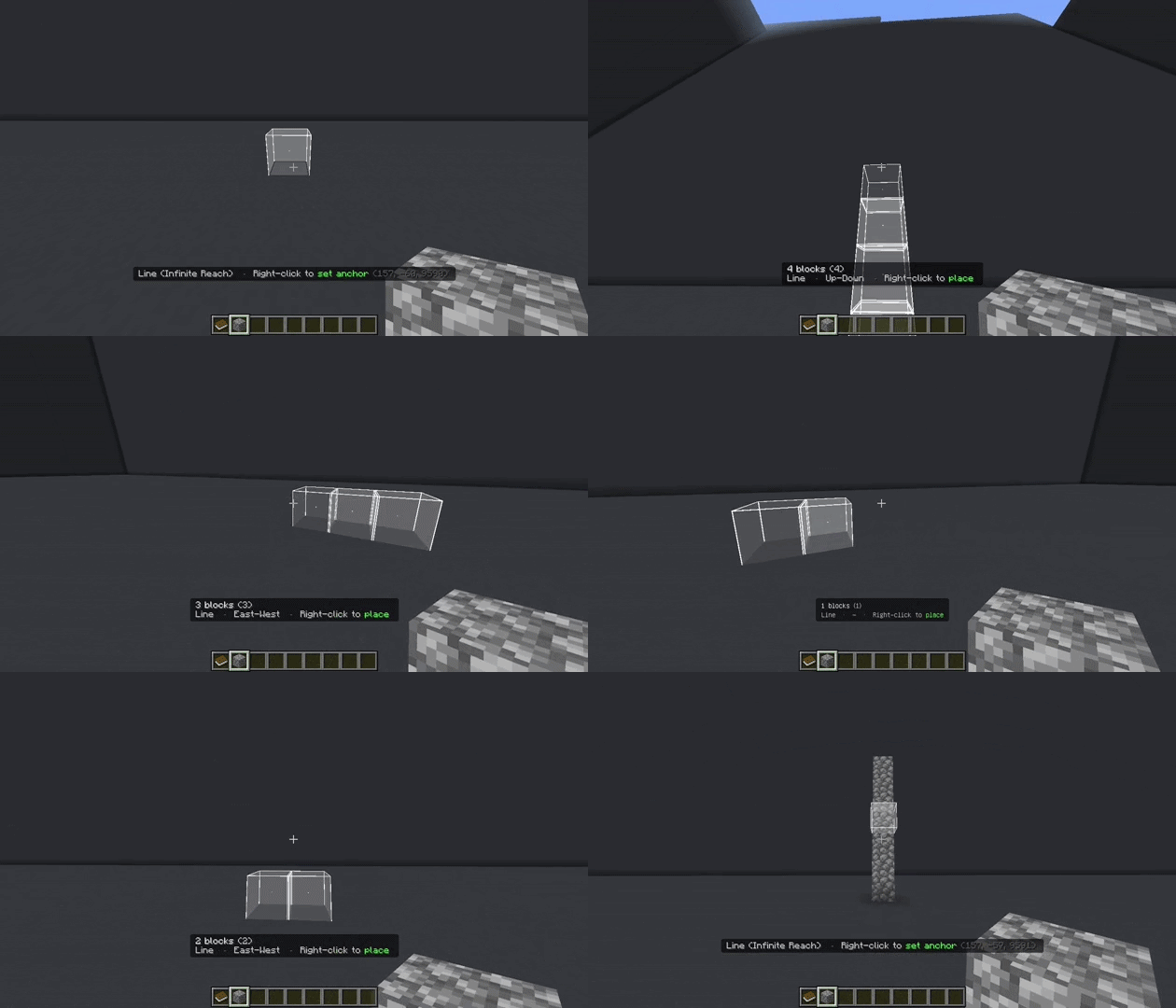
- Line - Straight or Bezier curve
- Wall - Filled or Hollow
- Floor - Filled or Hollow
- Circle - Filled/Hollow, Even or Uneven (ellipse)
- Sphere - Filled or Hollow
- Semicircle - Horizontal, Arch, or Dome orientation; Filled or Hollow
- Diagonal Line - Straight or Bezier curve
3-Step Modes
- Cube - Filled, Hollow, or Skeleton
- Cylinder - Filled/Hollow, Even or Uneven (ellipse)
- Cone (new in v3) - Filled or Hollow
- Diagonal Wall - Filled or Hollow
- Slope Floor - Filled or Hollow
- Copy / Paste (Cut action new in v3) - 3-click region selection
Special
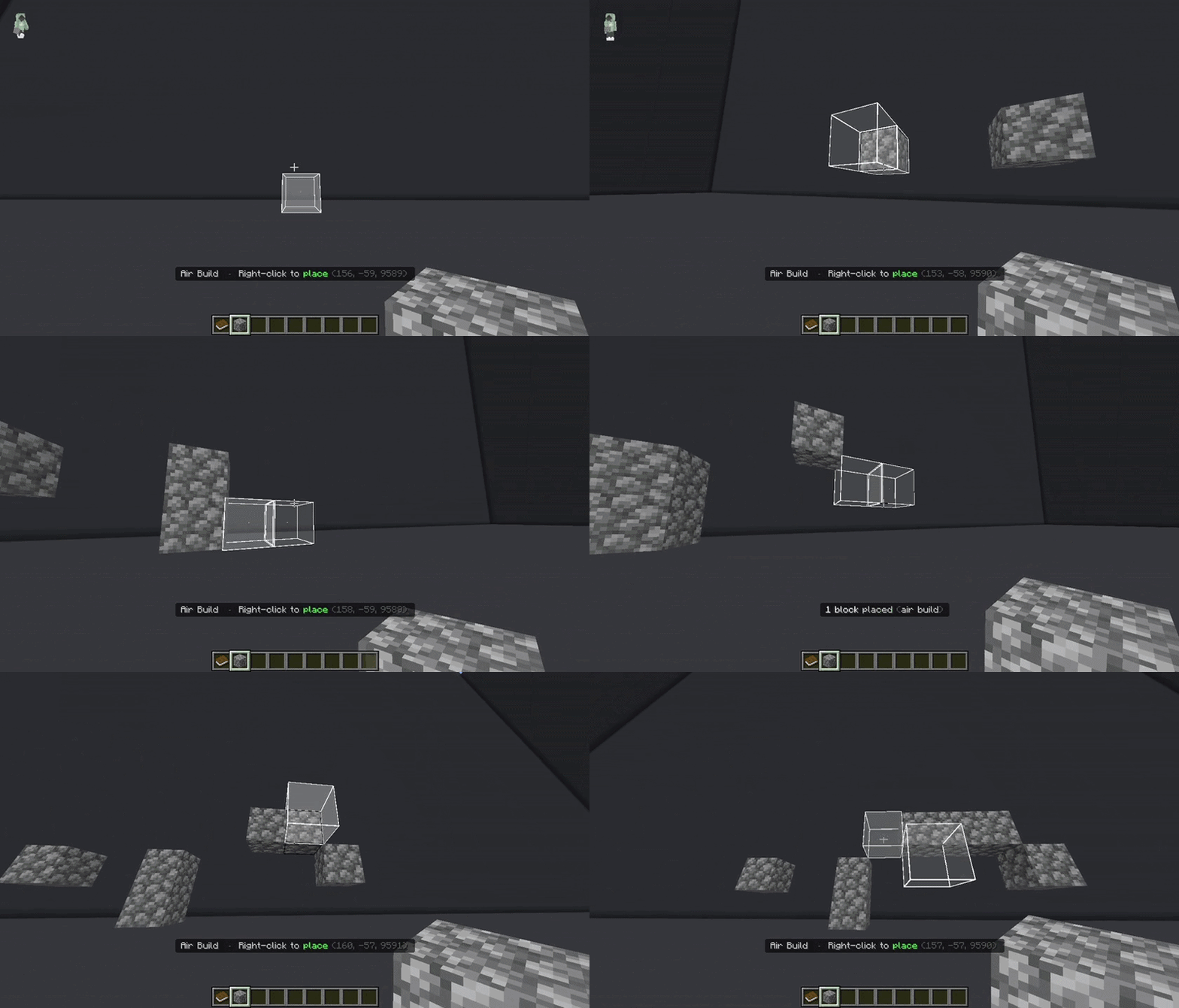
- Air Build - Single right-click to place one block in midair, no surface needed
Bezier curves (Line & Diagonal Line): right-click to add waypoints one by one, sneak+click to confirm; the addon traces a smooth 3D Catmull-Rom spline through all your points.
Air Building
Cube Shape
Line Mode
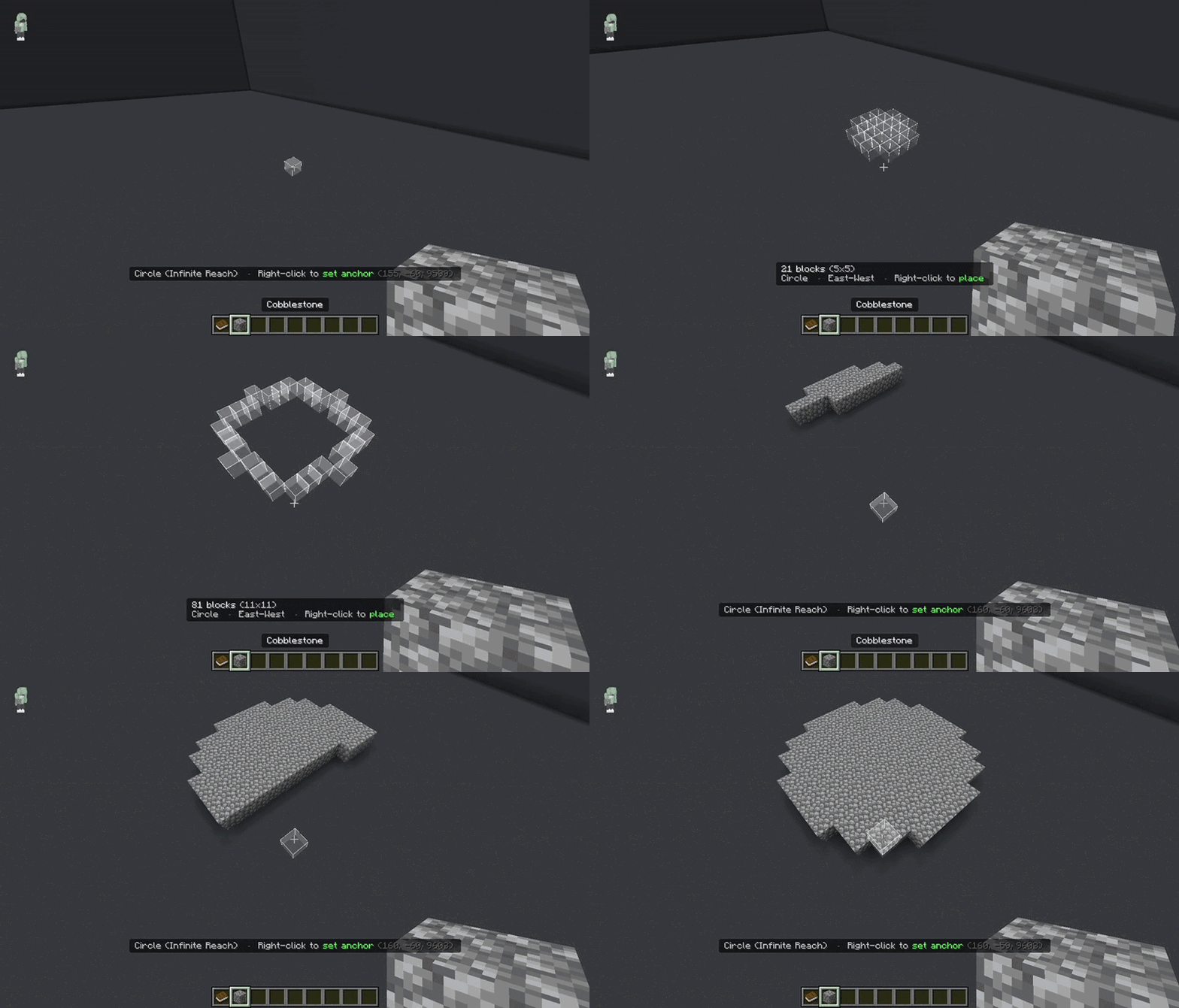
Circle Shape
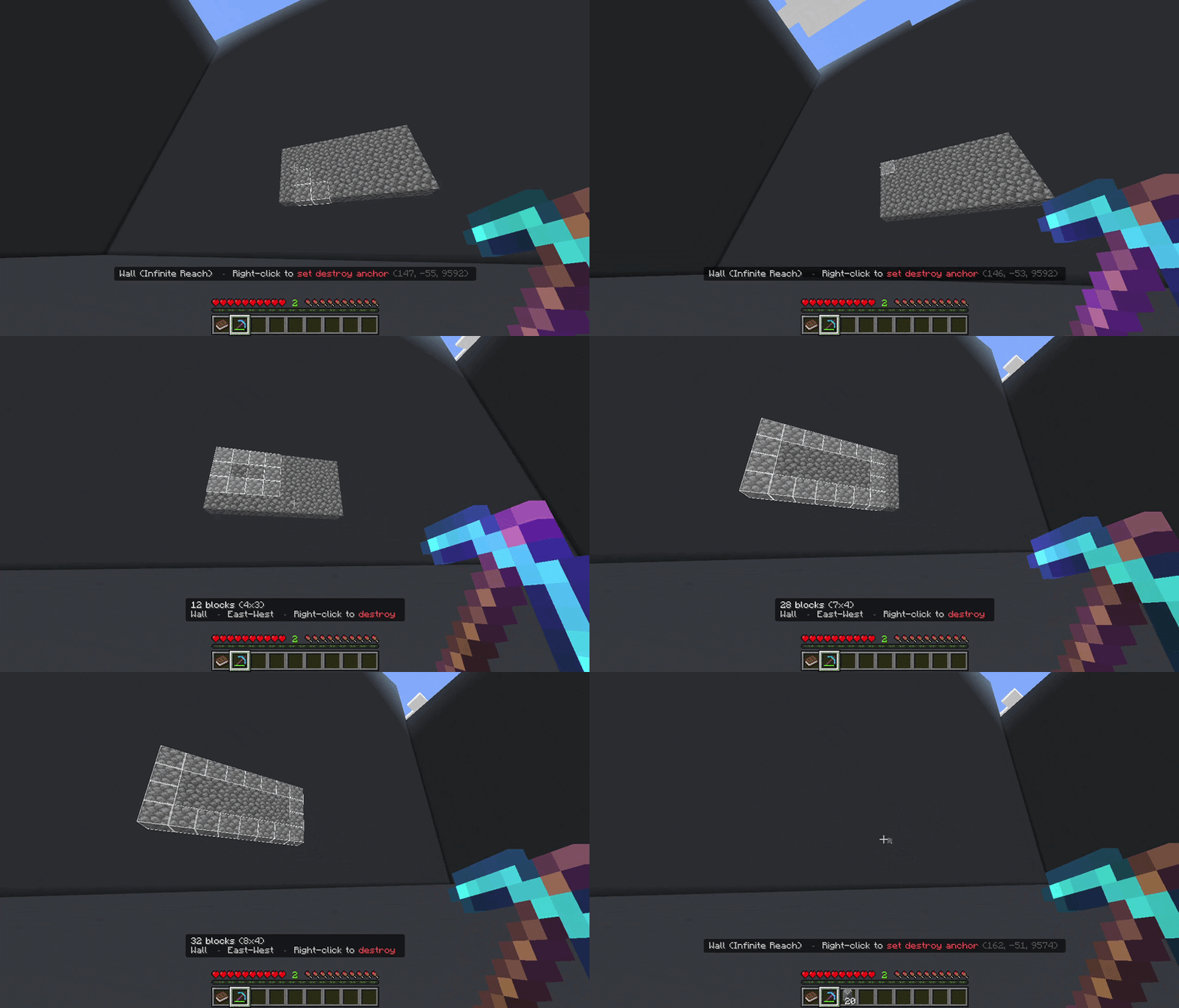
Destroy Mode
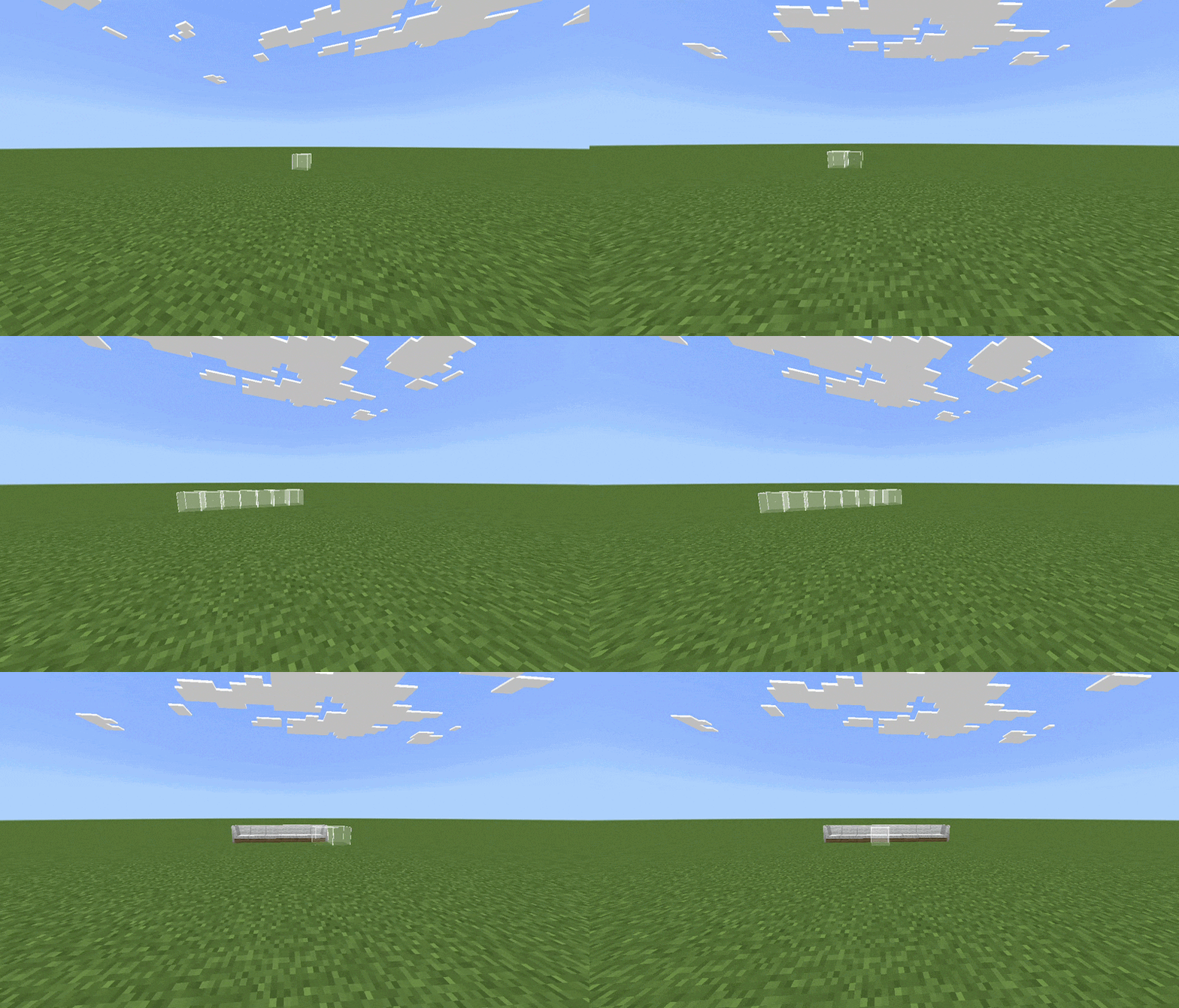
Custom Blocks Support
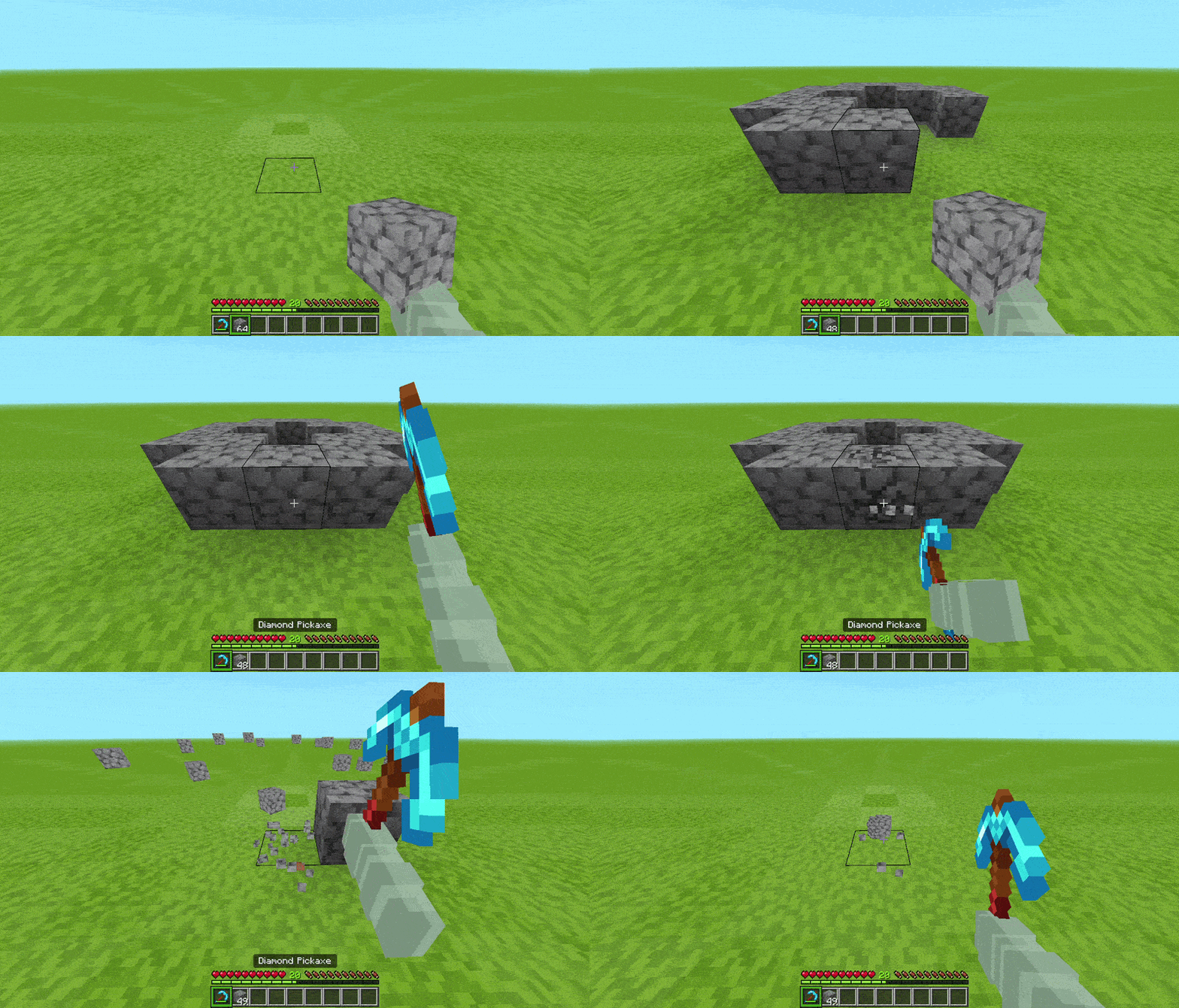
✦ 3 Build Modifiers
Modifiers multiply every placement across symmetry patterns. They stack with each other and work on top of any build mode. Open them with Sneak + Left-click (swing) on the Building Book or via /menu.
- Mirror: Reflect across the X, Y, and/or Z axis around a configurable center point. Set a radius so blocks beyond it are left untouched. Toggle "odd" alignment for center-block symmetry.
- Array: Repeat the shape N times in any direction. Set a custom X/Y/Z offset and count to stamp rows, columns, arches, or staircases.
- Radial: Rotate the shape around a center point into any number of evenly spaced slices. Enable alternate mode to mirror every other slice for kaleidoscope patterns.
- Bonus: All three modifiers also apply to vanilla block placing and breaking, so no need to be in a shape mode.
✦ Block Palette System
Instead of always building with the block you right-clicked, you can source blocks from your hotbar or full inventory and paint them across your placement using one of 18 distribution patterns:
- Random - Randomly distributed by block weight
- Spread - Evenly repeating sequence
- Gradient X / Y / Z - Smooth color transition along an axis
- Radial Gradient - Transitions from center outward
- Concentric Rings - Block A core, Block B ring, Block C outer, and so on
- Checker - Alternating 3D checkerboard
- Horizontal Stripes - Rows by Y level
- Vertical Stripes - Columns along the dominant axis
- Diagonal Stripes - Slanted column bands
- Brick - Offset column stripes like real masonry
- Herringbone - Alternating 45° zigzag
- Value Noise - Smooth organic blobs
- Cell Noise - Voronoi / stone-cell organic patches
- Marble - Sine-warped streaks through noise
- Border - Depth-based rings from outer edge inward
- Wave - Sine wave across the shape
- Spiral - Angle + distance spiral from center
- Dissolve - Dithered noise-blended gradient (Best One)
Weight can be calculated by item count, slot count, or unique block (equal weight regardless of quantity). Open the palette with Left-click on the Building Book or /palette.
✦ Copy, Cut & Paste
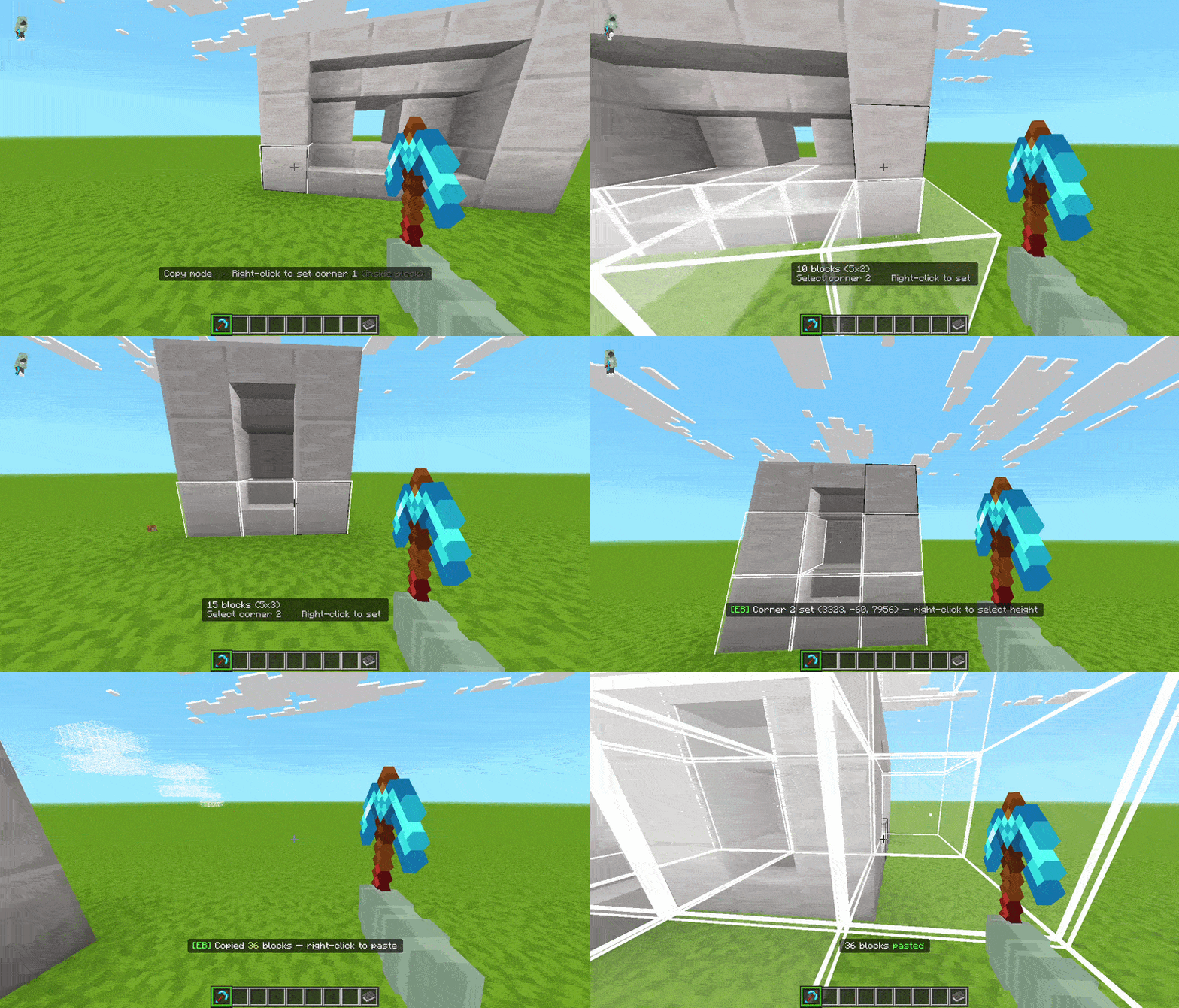
Select a region with 3 clicks (XZ corner 1, XZ corner 2, then height). Works on blocks or in the air. Sneaking on click targets the block itself rather than its face, giving precise control in tight spaces.
- Copy saves the selection to your clipboard.
- Cut (new in v3) removes the blocks instantly with no drops and no tool required, and saves them to clipboard. In Survival, pasting a cut region is one-time use; the clipboard clears after the paste.
- Paste by right-clicking anywhere. The structure automatically rotates to match your facing direction (N/E/S/W), including proper rotation of stairs, logs, doors, trapdoors, signs, and more.
- Ghost Preview: hold your cursor still for 0.5 s and a countdown appears in the action bar (●●● → ●●○ → ●○○). At 3 s a transparent ghost of the copied structure appears at the target position; right-click while it's visible to confirm the paste.
- Sneak + right-click clears the clipboard at any point.
- In Survival, paste consumes blocks from your inventory.
✦ Clipboard Manager (new in v3)
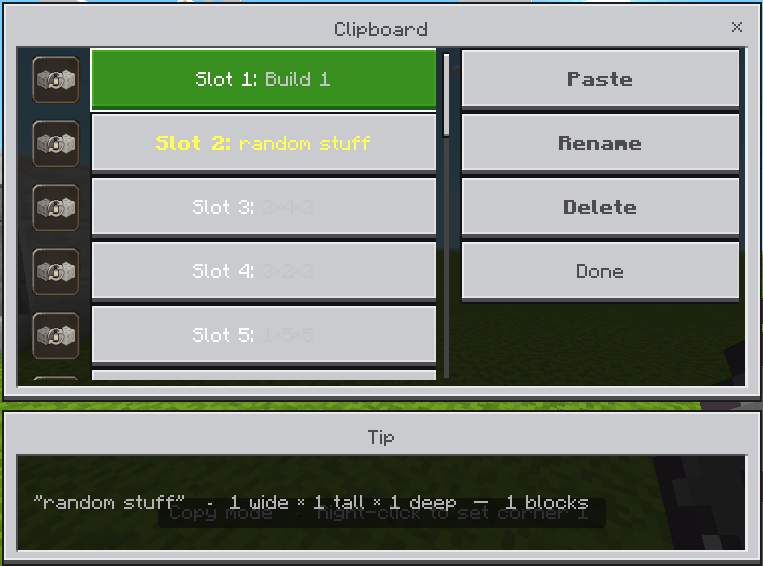
Never lose a copied build again. The Clipboard Manager gives you 20 named save slots that persist across sessions and world reloads.
- Every copy and cut auto-saves to an available slot
- Click any slot to make it active, then paste it in Copy/Paste mode
- Rename any slot (up to 32 characters)
- Delete individual slots
- Open with
/clipboardor the Clipboard button inside the Mode Selector
✦ Destroy Mode
Hold a pickaxe, axe, or shovel and right-click to set a destroy anchor, then right-click again to destroy every block in the shape. Works with any active build mode.
- Tool-aware: the correct tool is required per block type in Survival (a stone pickaxe can't mine iron ore, etc.)
- Enchantment support: Fortune, Silk Touch, and Unbreaking are all respected and behave correctly
- Durability tracking: the addon counts each block against your tool's durability and automatically switches to a spare tool of the same type when the active one breaks
- XP drops: ore types correctly award XP on destruction
- Survival drops: for large operations, drops are collected in bulk and spawned near your feet with a magnet pull effect
- Admins can restrict Destroy Mode to Creative only, or disable it entirely per server/world
✦ Live Preview & Selection Zoom
While an anchor is set, the addon renders a real-time preview of exactly what will be placed before you confirm. Four preview styles to choose from:
- Outline - full rendered block outline of the shape
- Corner Outline - lightweight outline showing only the bounding box corners
- Particles - particle cloud approximating the shape
- Disabled - no preview for best performance
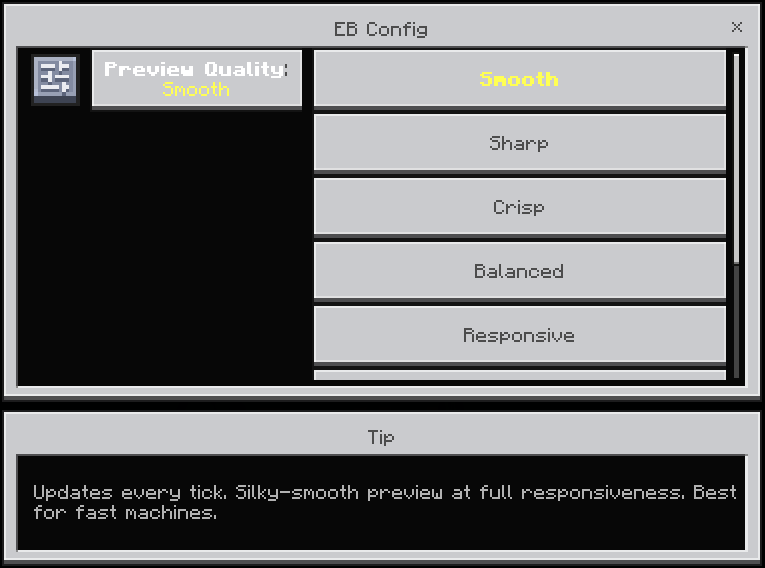
Preview refresh rate is adjustable across 7 levels from Smooth (every tick) to Minimal (every 20 ticks), tunable per player via /config.
Selection Zoom (new in v3): while your anchor is placed, the camera smoothly zooms in as your selection grows so you can see exactly where you're building. Zoom start distance (1-50 blocks) and max zoom level (1-200) are configurable per player. The camera resets automatically when you confirm, cancel, or rejoin.
✦ Undo & Redo
Made a mistake? In Creative mode, /undo steps back up to 10 operations and /redo steps forward again.
- Operations under your undo threshold (default: 200 blocks) are saved to player data and survive rejoins and world reloads
- Operations over the threshold are kept in memory only for the current session
- Threshold is configurable per player: Disabled, 200, 500, or 1,000 blocks
✦ Mode Selector (redesigned in v3)
Open with right-click on the Building Book or menu.
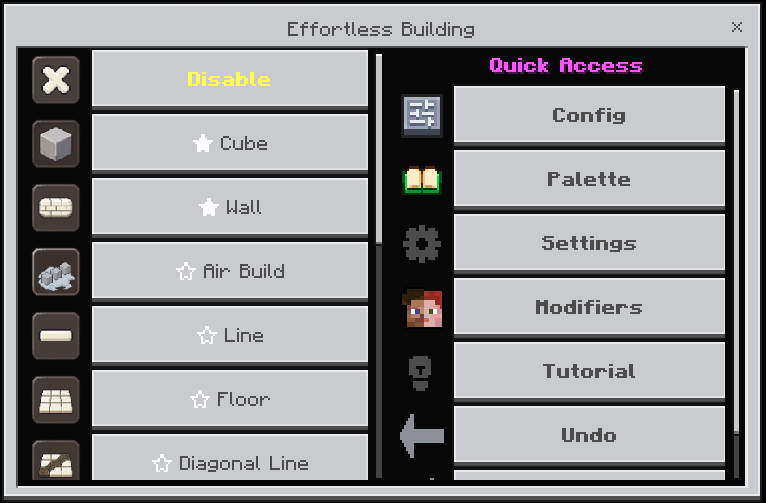
- Left panel: scrollable list of all 14 modes with the active mode highlighted in yellow
- Star icon next to each mode: click to pin it; pinned modes float to the top of the list just below Disable
- Right panel: per-mode options (Filled/Hollow, Even/Uneven, Bezier, etc.) that apply instantly
- Quick Access panel (visible when Disable is selected): one-click shortcuts to Config, Palette, Settings, Tutorial, Undo, and Redo
- Double-tap Sneak while holding the Building Book to toggle Disable mode on/off; your previous mode is restored automatically when you sneak-double-tap again
✦ Per-Player Settings
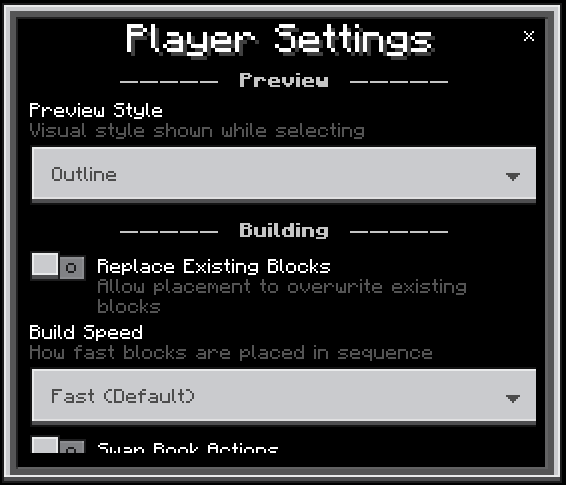
All settings are saved per player and persist across sessions. Open with /settings or Sneak + Right-click the Building Book.
- Max blocks per operation (default 50,000, up to the admin-set ceiling)
- Preview style: Particles, Outline, Corner Outline, or Disabled
- Preview quality: 7 levels from Smooth (1 tick) to Minimal (20 ticks)
- Air Build reach: 1 to 64 blocks
- Infinite reach: toggle on/off and set custom distance
- Build speed: Instant, Fast, Normal, or Slow
- Undo threshold: Disabled, 200, 500, or 1,000 blocks
- Replace existing blocks: on/off
- Destroy drops items: on/off
- Selection Zoom: on/off, zoom start distance, and max zoom level
✦ Admin & Server Controls
(Visible only to operators and players with the eb:admin tag)
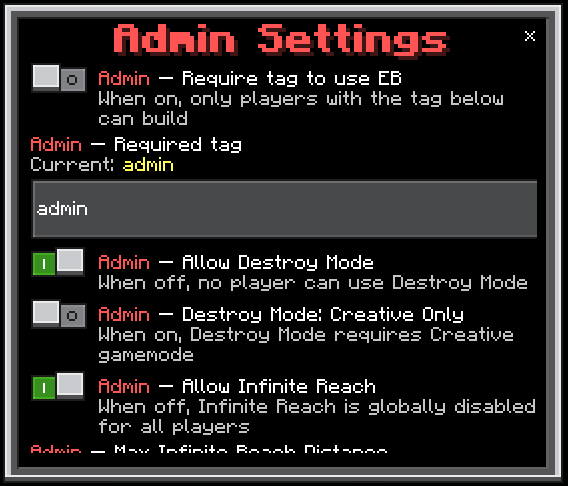
The first player who joins a new world is automatically granted admin. On servers, run /tag @s add eb:admin once to access the admin section.
- Tag restriction: require a specific tag before players can use the addon
- Custom required tag name (default:
admin) - Allow or disable Destroy Mode server-wide
- Restrict Destroy Mode to Creative only
- Allow or disable Infinite Reach server-wide
- Set a server-wide reach distance cap
- Auto-give the Building Book to new players on join
- Set a global max blocks cap (up to 300,000)
- Restrict
/configaccess to the required tag
✦ Commands
/menu- Open the Mode Selector/settings- Open player settings/palette- Open the block palette/clipboard- Open the Clipboard Manager/config- Open personal config (preview quality)/tutorial- Open the in-game tutorial/undo- Undo last operation (Creative only)/redo- Redo last operation (Creative only)/getbook- Get a new Building Book (costs 5 XP levels)

Is this addon achievemtns friendly? Yes.
Does this work in Survival? Yes. The addon checks your inventory before every placement and only places as many blocks as you're carrying. Undo and Redo are Creative-only, but all build modes and Destroy Mode work fully in Survival.
Does it work on Realms and servers? Yes, as long as the Behavior Pack is applied to the world. Admin controls let you restrict access by tag and limit which features players can use.
Will it conflict with other addons? Effortless Building only interacts with its own custom item (the Building Book) and does not modify any vanilla blocks, entities, or recipes. Conflicts are very unlikely.
What is the maximum blocks per operation? The default cap is 50,000 blocks. Admins can raise the server-wide ceiling up to 300,000. Players can set their personal limit anywhere up to the admin cap.
Are enchantments respected in Destroy Mode? Yes. Fortune, Silk Touch, and Unbreaking all work correctly. Fortune multiplies ore drops, Silk Touch changes what drops, and Unbreaking slows tool wear.
What Minecraft version is required? Bedrock Edition 1.21.100 or later. Left-click (swing) to open the palette requires 1.26.0+.

Inspired by the original Effortless Building Java mod by Requioss.