EasyChestShop
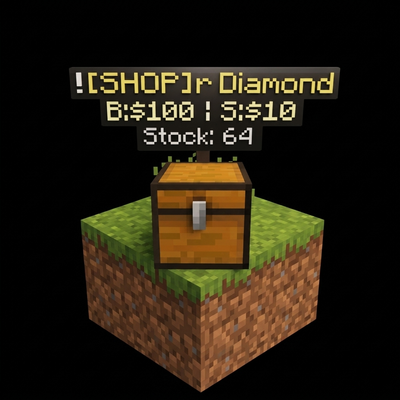
EasyChestShop is a player-driven shop system for Minecraft Bedrock Edition that turns any supported container — chests, barrels, shulker boxes, copper chests — into a fully working storefront, no complicated setup needed.
Join our discord:https://discord.gg/tCnxzuHCMt
Set shops to Buy, Sell, or Both, price your items, and let players browse, search, and trade through a clean built-in UI. It's built for survival servers, SMPs, and community realms that want a real economy without the headache.
Features include: hologram-style displays, receipts, stock tracking, shop protection, a searchable shop directory, price history, and economy support via the money scoreboard.
Getting Started
- Import the addon and enable both the Behavior Pack and Resource Pack.
- Make sure your world uses the
moneyscoreboard for balances. - Sneak + interact on a supported container while holding your item to create a shop.
- Fill in your shop details — name, prices, tags, stock threshold, and mode.
- Players can now click the container to open the shop and start trading.
Commands
| Command | Description |
|---|---|
/cs:shops |
Browse all shops |
/cs:shops <search> |
Search for a shop |
/cs:money / /cs:bal |
Check your balance |
/cs:receipt |
View recent receipts |
/cs:shop my |
Manage your shops |
Admin Setup
Tag a player with admin to unlock admin tools:
/tag <playername> add adminThen run /cs:shop admin to access money management, diagnostics, global shop controls, and more.