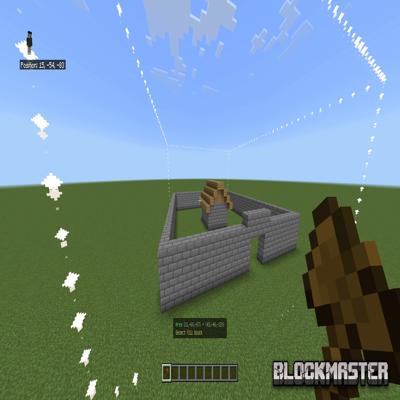
BlockMaster
BlockMaster is a simple and convenient world editor for Minecraft. It integrates directly into the game and allows you to work with blocks at a new speed.
Features:
1. Area selection
2. Block removal
3. Percentage-based filling
4. Block replacement
Fully supports all Minecraft languages
All texts, notifications, and interfaces use translation keys, which means:
- Full support for all official Minecraft localizations;
- Works with any language set by the player.
How to use
1. Tool
- Hold a wooden axe — it is used as the editor tool.
2. Selection
- First right-click on a block — selects the first point (indicated by particles).
- Second right-click — selects the second point, forming the complete area. It will be highlighted and displayed at the bottom of the screen.
3. Choose a fill block
- Third right-click on the block you want to use as the fill block.
4. Choose a block to replace
- Fourth right-click — select the block that should be replaced in the selected area.
After this, the configuration menu will open automatically:
- Fill block — your selected block or air;
- Replacement block — your selected block, air, or "Skip" (to replace all blocks);
- Fill percentage — from 1% to 100%.
Reset selection
- Fifth right-click — resets the current selection;
- Exiting the menu without confirming — also resets;
- After filling, the area is automatically cleared.
If there is no feedback, further updates for this mod are not planned.
If you want to see more — be sure to let me know!