Block Replacer
How to Use the Replace Hammer Script
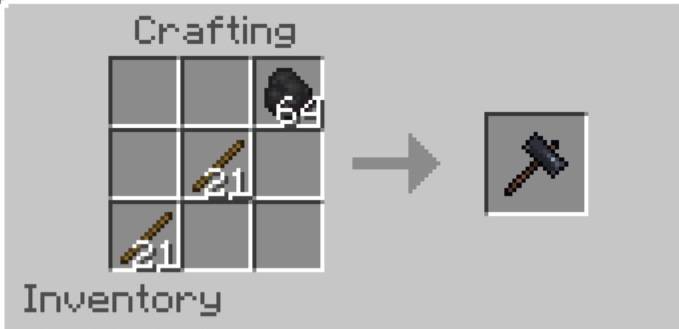
1. Get the Replace Hammer:
2. Select Area:
- Hold the Replace Hammer and right-click (or interact) on a block to set Position 1.
You'll see a message with the coordinates.
- Right-click another block to set Position 2.
- The area must be within 50x50x50 blocks, or you'll get an error.
3. Replace Blocks:
- After setting both positions, a UI will appear.
- Choose the block type to replace from the dropdown (shows block counts in the selected area).
- Select a replacement block from your inventory (must have enough blocks).
- Confirm to start replacing.
4. Process:
- The script replaces blocks one by one, removing the replacement block from your inventory
and adding the replaced block.
- If you run out of replacement blocks, the process stops with a message.
- When complete, you'll see a message with the number of blocks replaced.