
Bedrock UI Fix Pack – Settings & Pause Menu
Bedrock UI Fix Pack – Settings & Pause Menu
If you're searching for a way to fix the broken UI in Minecraft Bedrock, this resource pack provides a complete solution.
The Bedrock UI Fix Pack – Settings & Pause Menu corrects the most commonly reported UI issues, including:
- The Settings menu extra spacing / padding bug
- The swapped Store and Settings buttons in the Pause Menu
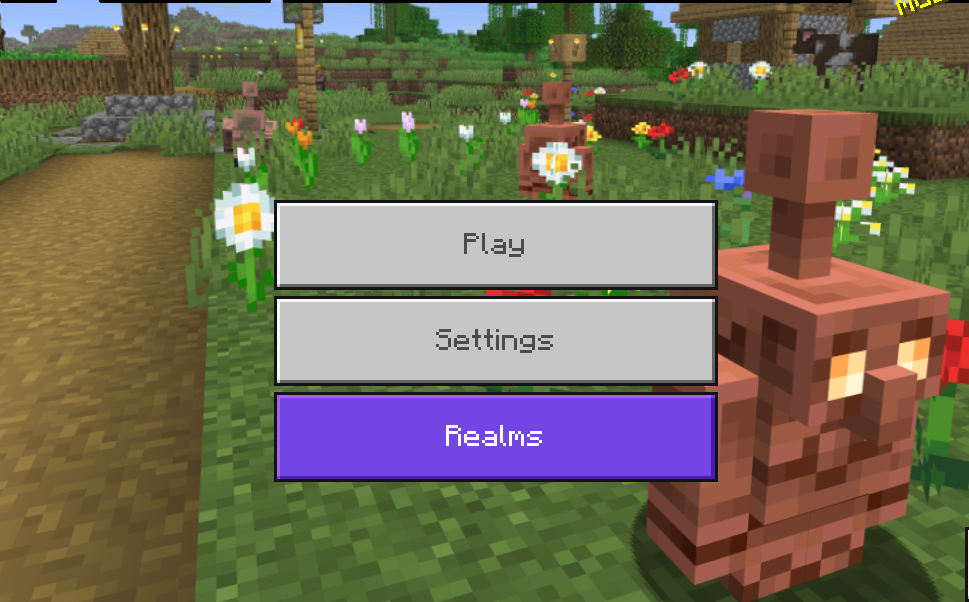
- The Marketplace button replacing the Settings icon
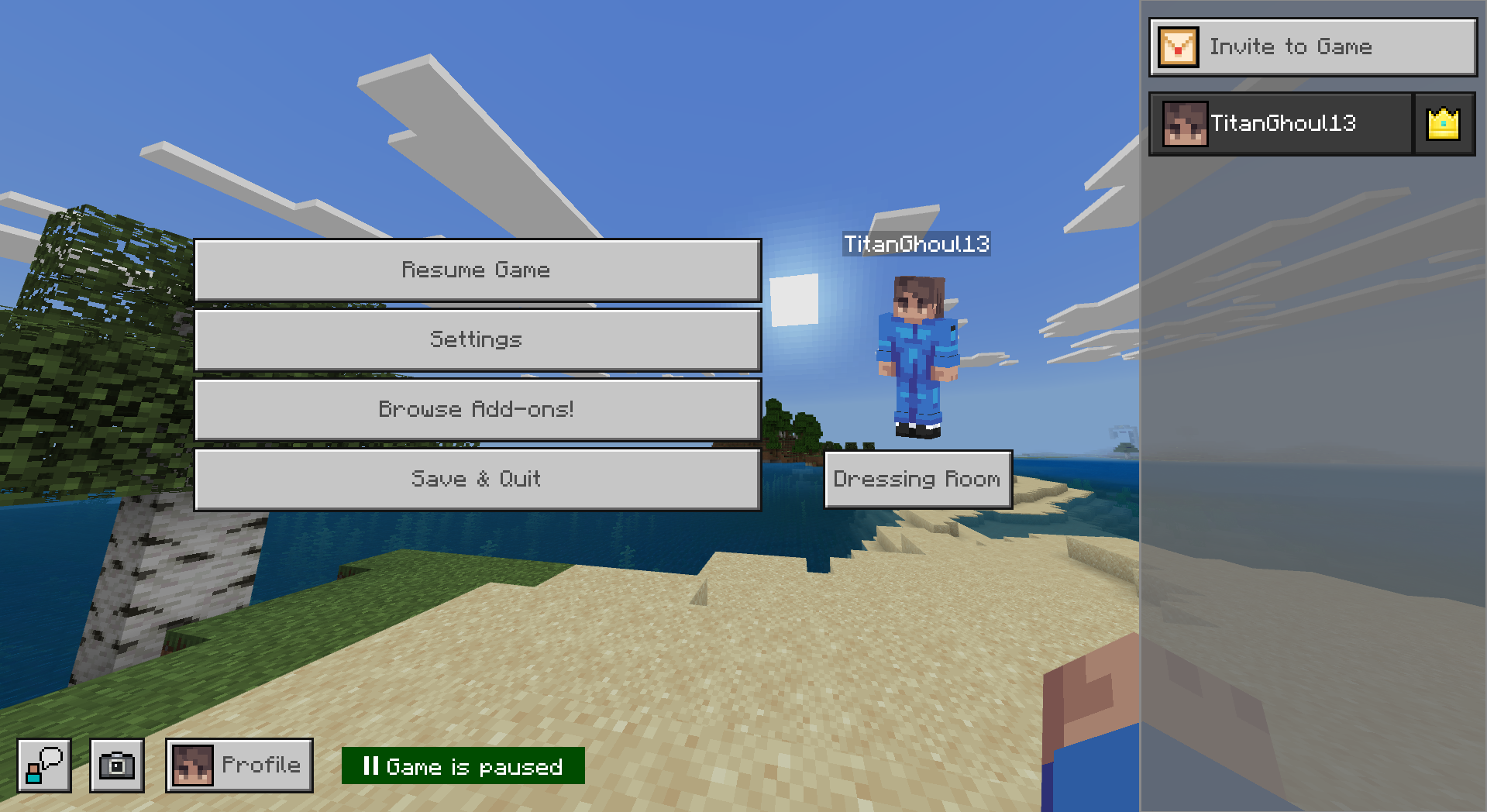
- The confusing new Pause Menu layout
- Missing option for the old classic Pause Menu
Compatible with Minecraft Bedrock 1.21.100+, this pack restores a cleaner and more intuitive UI.
🔍 What This Minecraft Bedrock UI Fix Pack Fixes
This pack directly solves the most searched Bedrock UI problems:
✔ Fixes the Settings Menu Gap
Removes the unnecessary vertical spacing between options in the Settings screen.
✔ Fixes the Pause Menu Button Swap
Restores the correct position of the Settings and Marketplace buttons.
✔ Remove Marketplace Button (Optional)
Ideal for players searching “remove marketplace button minecraft bedrock”.
✔ Restore Old Pause Menu (Optional)
Brings back the classic Pause Menu layout many players prefer.
🎚️ 4 Subpack Modes Included
Switch between modes using the subpack slider:
🔸 1. Default Mode — Standard UI Fix

- Fixes Settings menu spacing
- Fixes Pause Menu icon swap
🔹 2. No Marketplace Mode

- Removes Marketplace button from the Main Screen and the Pause Menu
- Fixes Settings spacing
Perfect for players who want a cleaner Pause Menu.
🟣 3. Old Pause Menu Mode

- Restores the older Pause Menu layout
- Fixes Settings menu spacing
Great for users searching for “Minecraft Bedrock old pause menu”.
🟢 4. Old Pause Menu + No Marketplace

- Removes Marketplace from the Main Screen and the Pause Menu
- Restores old Pause Menu
- Fixes Settings spacing
The cleanest and most classic UI option.
🖼️ Before & After – UI Fix Showcase
Pause Menu Button Fix

Settings Menu Gap Fix

Old Pause Menu
No Marketplace Button
📥 How to Install the Pack
Works on: Windows 10/11, iOS, Android, Xbox, PlayStation, Nintendo Switch.
- Download the
.mcpackfile - Open it
- Minecraft will import the pack automatically
You should see: “Import started…” → “Import successful.”
🚀 How to Activate (With Subpack Selection)
- Open Minecraft Bedrock
- Go to Settings
- Select Global Resources
- Find “Bedrock UI Fix Pack – Settings & Pause Menu”
- Click Activate
- Choose your preferred mode using the subpack slider
💬 Why This Pack Exists
Players constantly report issues such as:
- “Why is there a huge gap in Minecraft Bedrock settings?”
- “How do I fix the swapped Pause Menu buttons?”
- “How do I remove the Marketplace button?”
- “Can I get the old Pause Menu back?”
Since these UI problems remain unfixed, this pack restores a clean, functional, and classic-feeling UI, while also giving players the customization options they want.