
Advanced Gravestone
Advanced Gravestone - by Mikayil022
When you die, your items are automatically stored in a grave placed at your death location. No more losing your gear to despawn timers or lava. Retrieve everything by right-clicking the grave, or sneak + right-click to restore items directly back to their original inventory slots.
Grave Models
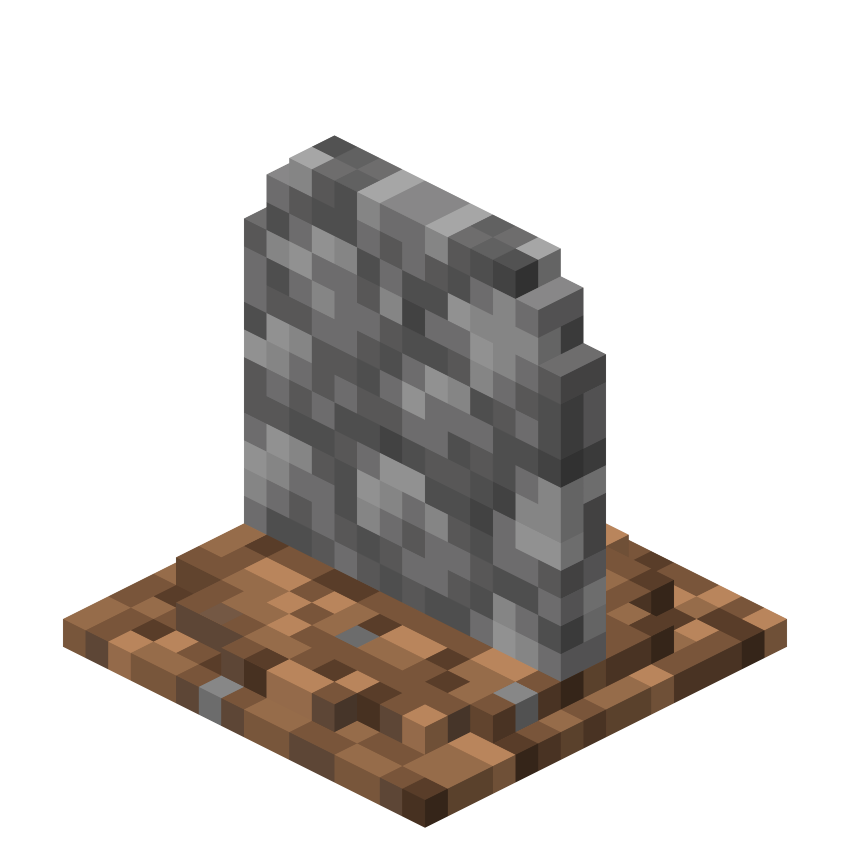
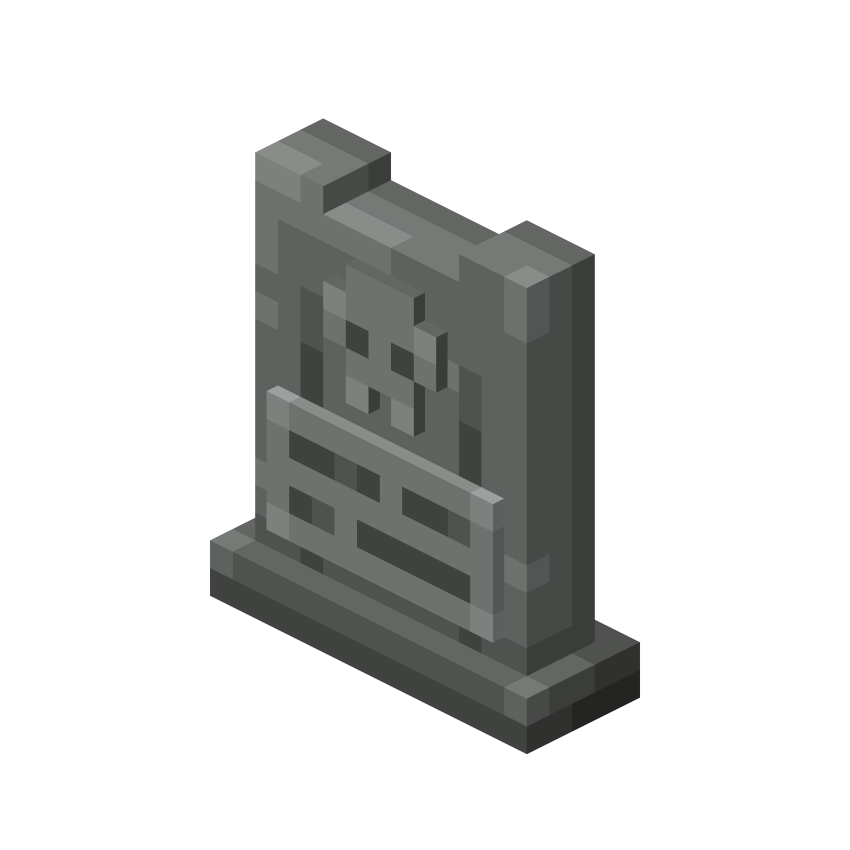
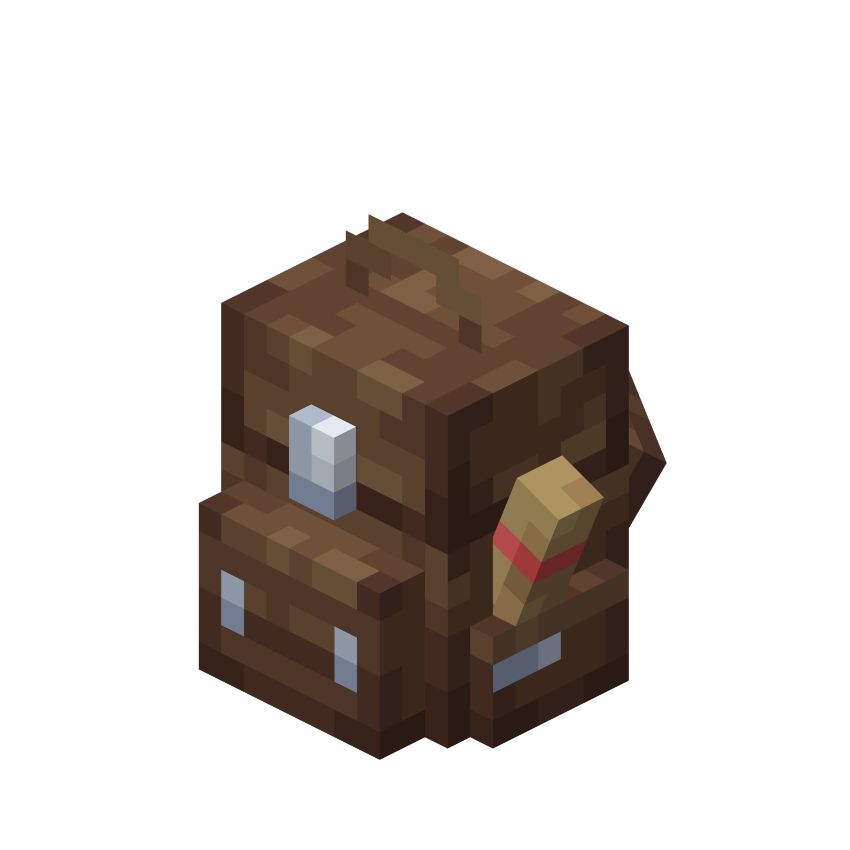
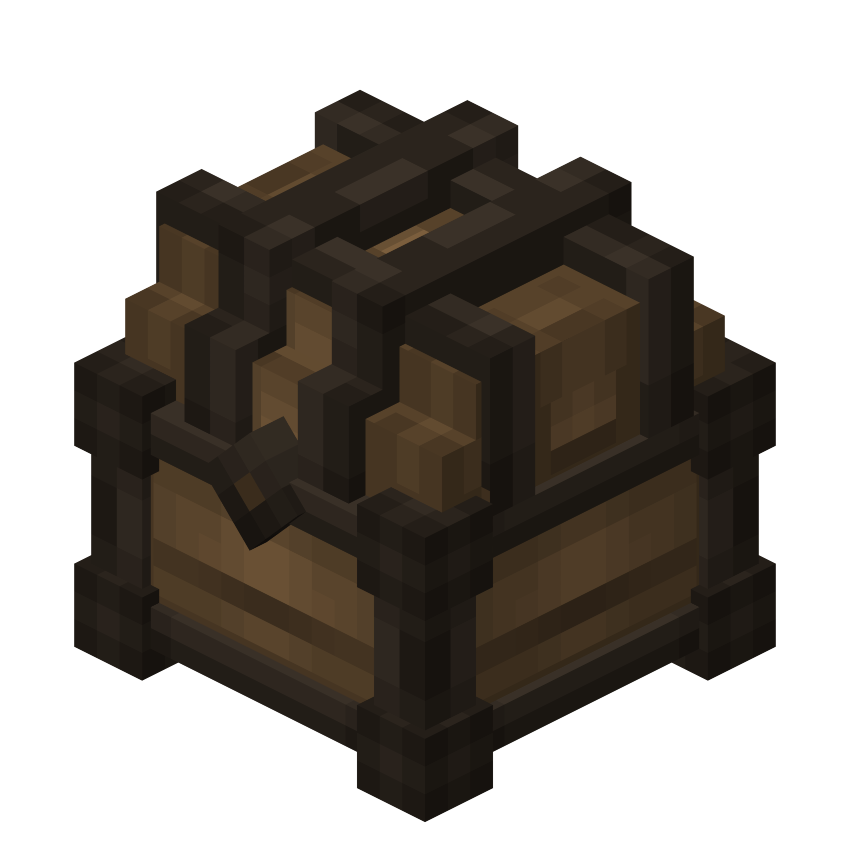
Each player can pick their own grave appearance using /ags:edit. Four models available: Gravestone (Vanilla), Gravestone (Modern), Backpack, and Death Chest.
Model 1.
Model 2.
Model 3.
Model 4.
Customization
Use /ags:edit to choose your grave's name tag color, beam color, and model. 15 colors to pick from, or enable Random Color mode to have a unique color auto-assigned each time you die.
Obituary & Teleport
You receive an Obituary item on death. Holding it shows your grave's real-time distance in the action bar. Right-clicking opens a UI with coordinates, dimension, time remaining, and a teleport button.
Teleport requires a minimum distance from the grave and costs a configurable amount of XP levels. There's a 3-second standing countdown - moving cancels it.
General Settings
The first player to join is automatically assigned admin. Settings persist through restarts.
Admin Bypass - Open any player's grave. Broadcasts to all players when used.
Owner Only - Restricts graves to their owner only.
Teleport - Enable or disable Obituary teleportation.
Grave Tracker - Show real-time distance in the action bar.
Gravestone Beam - Show a colored beam above each grave.
XP Cost for Teleport - 0 to 10 levels. 0 = free.
Grave Duration - 10 to 60 minutes.
Teleport Min Distance - How close to the grave blocks teleport.
Max Interaction Distance - How far away you can open a grave.
Grave Expiry - Delete items or drop them on the ground.
Default Grave Appearance - Model used for players without a personal preference.
Commands
/ags:edit - Customize your grave color and model.
/ags:changelog - View the changelog.
/ags:settings - (Admin only) Open the settings panel.
/ags:admintransfer <player_name> - (Admin only) Transfer admin rights.
Other Features
Items with Keep on Death or Item Lock are never stored in graves.
Dying in water or lava places the grave safely above the fluid.
Multiple active graves are all listed with coordinates on respawn.
If someone else opens your grave, you get notified.
A Guidebook is given automatically on first join.
Note: This addon does not work on Realms.